 Follow us on Facebook
Quick Answer: Legacy network infrastructure starts to hold a business back when aging cabling, hardware, and wireless coverage create bottlenecks over time. The most reliable way to upgrade is to begin with a full audit, then follow a phased roadmap and controlled execution plan.
Introduction
Most networks do not fail all at once. They slow down, drop connections, and stop supporting newer systems the way they should. Teams address issues as they come up, but overall performance keeps slipping.
That is where bigger problems usually begin. Upgrades happen in pieces without a clear plan, which leads to mismatched systems, recurring issues, and wasted spend. A structured approach is what separates a stable network from one that constantly needs attention.
At Ascio Wireless, many businesses reach out at this stage. They know the network needs to improve, but without a clear audit and roadmap, the same problems tend to resurface.
Signs Your Network Infrastructure Is Holding You Back
- Performance bottlenecks and downtime: Slow speeds, latency, and connection drops begin affecting daily work. That leads to delays, interruptions, and user frustration.
- Compatibility and scalability issues: New systems and devices do not perform as expected. Teams rely on workarounds, which adds complexity and slows operations down.
- Hidden limits in aging cabling and hardware: Older cabling can restrict bandwidth even after hardware upgrades. This is a common issue in buildings where infrastructure has not been updated in years.
When these issues appear together, the network is no longer keeping up with current demands. Performance usually continues to decline until the underlying infrastructure is addressed.
What “Legacy Infrastructure” Really Means Today
Legacy infrastructure is not just outdated switches or routers. It also includes cabling, physical layout, and wireless coverage that no longer support current business needs.
One of the most common patterns is a partial upgrade. New hardware is installed, but the supporting infrastructure stays the same. That creates uneven performance, where the network never reaches the speed or stability the business expected.
For example, outdated cabling can limit throughput even after hardware is upgraded. That is why the physical layer matters. Learn more about structured cabling design best practices and how it supports long-term performance.
Step 1: Conduct a Comprehensive Network Audit
An upgrade without an audit quickly turns into guesswork. A proper audit shows what is actually causing performance issues, where the constraints are, and what should be prioritized first.
Physical Infrastructure Assessment
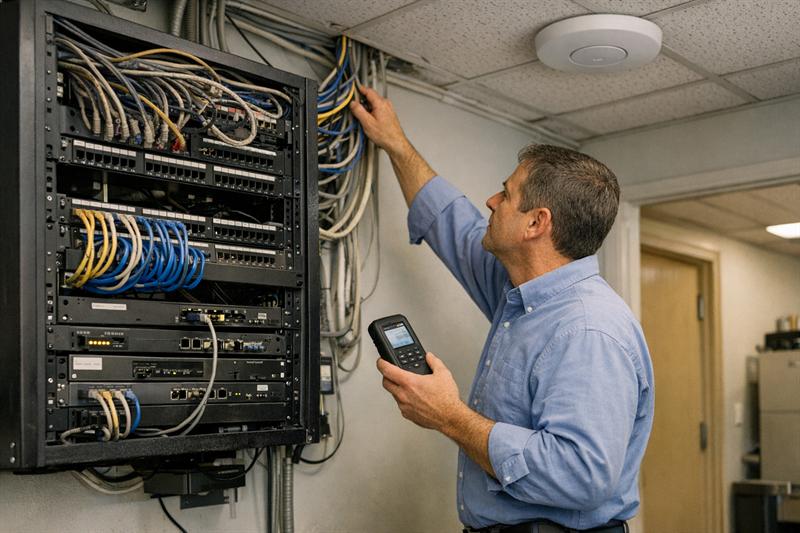
This includes reviewing cabling type, condition, and layout. A frequent issue is legacy cabling that cannot support modern speeds. Many upgrades fall short because the physical layer is left out of the plan.
Wireless Performance and Coverage Evaluation
Wireless problems are often blamed on bandwidth alone. In practice, poor coverage, interference, and access point placement are also common causes. A site survey helps make those gaps visible.
Hardware and Bandwidth Analysis
Switches, routers, and available bandwidth should be reviewed to identify constraints. Bottlenecks often show up where older equipment is still handling critical traffic.
Identifying Failure Points and Constraints
This step highlights single points of failure, overloaded segments, and infrastructure limits that can affect reliability or growth. If those issues are left unresolved, outages and instability tend to repeat.
For a closer look at this process, see what a network assessment involves.
Step 2: Build a Practical Upgrade Roadmap
Once the audit is complete, the next step is prioritization. Replacing everything at once is rarely necessary and often creates more disruption than value.
Prioritizing High-Impact Improvements
Start with the areas creating the biggest bottlenecks. That often includes cabling limitations, overloaded network segments, or weak wireless coverage in critical spaces.
Phased Upgrades vs Full Replacement
A phased approach allows improvements without taking the entire network offline. For most businesses, that is the most practical way to modernize while staying operational.
Budget Planning and ROI Considerations
Upgrades should align with long-term use, not just immediate pain points. A common mistake is investing in hardware that outpaces the rest of the network, leaving expected performance gains unrealized.
If you are seeing these issues, it may be time to take action:
- Upgrades that did not improve performance
- Ongoing troubleshooting without clear answers
- New systems performing below expectations
- Recurring downtime in the same areas
These signs often point to deeper infrastructure limitations that need a structured upgrade plan.
Step 3: Execute Without Disrupting Operations
This is where many upgrades run into trouble. Poor coordination can lead to downtime, missed dependencies, or incomplete results.
Minimizing Downtime
Upgrades need to be scheduled and staged carefully. In many cases, temporary redundancy or after-hours work helps keep systems running during key changes.
Coordinating On-Site Upgrades and Support
Execution on-site is critical. Cabling, hardware, and configuration all come together at this stage. Mistakes here can introduce new issues instead of resolving existing ones.
Testing and Validation
Every upgrade should be tested against the original goals. Without validation, problems can continue even after the work is complete.
Ongoing planning matters as well. Strong networks are supported by consistent oversight, which is why network capacity planning helps reduce future bottlenecks.
Common Mistakes to Avoid When Upgrading Legacy Networks
- Upgrading hardware without addressing cabling: Performance stays limited because the underlying infrastructure cannot support it.
- Ignoring wireless performance issues: Coverage gaps and interference remain, leading to continued user complaints.
- Relying on short-term fixes that raise long-term costs: Temporary solutions add complexity and make future upgrades harder to manage.
This is how issues compound. Each quick fix adds another layer of inconsistency, making the network harder to support over time.
When to Bring in Network Infrastructure Specialists
Some upgrades can be handled internally, but more complex environments often benefit from experienced outside support.
Complex Environments and Multi-Site Operations
Larger or distributed networks introduce dependencies that are harder to manage without a clear strategy and coordinated execution.
Need for Wireless Surveys and Structured Cabling
Wireless performance and cabling quality usually require on-site evaluation and the right tools to assess accurately.
Ongoing Maintenance and Lifecycle Planning
Long-term reliability depends on consistent planning and maintenance. Networks that are reviewed regularly are less likely to drift into repeated performance and reliability issues.
Ascio Wireless supports this process with wireless surveys, structured cabling, and on-site network support focused on long-term performance.
Key Takeaways
- Start with a full audit before making upgrades
- Cabling and physical infrastructure often limit performance
- Phased upgrades reduce disruption and improve outcomes
- Quick fixes can create long-term instability
- Ongoing planning supports reliable performance
Conclusion
Legacy network infrastructure rarely improves on its own. Performance declines, issues repeat, and systems become harder to support.
Without a structured approach, upgrades can turn into a cycle of temporary fixes. That leads to more downtime, higher costs, and ongoing frustration.
Ascio Wireless, LLC helps businesses break that cycle through detailed audits, structured cabling, and on-site support focused on infrastructure that performs consistently over time. If the signs are already there, the next step is to address them with a clear plan before the problems become more disruptive.
FAQ
What is considered legacy network infrastructure?
Legacy network infrastructure includes hardware, cabling, and supporting systems that no longer meet current performance needs. That can include older equipment, limited-capacity cabling, and inconsistent wireless coverage. A proper assessment helps identify what is holding the network back.
How do you upgrade legacy network infrastructure?
The process usually starts with a full audit, followed by a prioritized plan and phased execution. That helps address the most important issues first. Skipping the audit often leads to incomplete improvements.
Should you upgrade or replace legacy systems?
Phased upgrades are often the most practical approach because they allow improvements without unnecessary disruption. Full replacement is typically considered when major parts of the infrastructure no longer support current needs.
How often should network infrastructure be upgraded?
Infrastructure should be reviewed regularly as business demands change. Growth, new systems, and recurring performance issues are all signs that updates may be needed.
What are the risks of not upgrading network infrastructure?
Delaying upgrades can lead to slower performance, recurring downtime, and limited scalability. Those issues usually build over time and become more expensive to work around.
How long does a network infrastructure upgrade take?
Timelines depend on the size and complexity of the environment. Phased upgrades help reduce disruption by allowing improvements to be made in manageable stages.