 Follow us on Facebook

Business WiFi Roaming Issues: Symptoms, Causes, and How to Investigate Them
WiFi roaming problems show up when devices move, not when they sit still. A scanner can freeze in an aisle, a VoIP call can drop near a doorway, and a tablet can hold onto a weak access point even after the user has moved into a stronger area.
The issue is usually a handoff problem. Sticky clients, uneven AP overlap, power imbalances, and poor channel planning can all break transitions between coverage areas. Desk-based tests may look normal, but the failure follows the movement path.
That is why wireless surveys matter. A site survey can separate a real coverage gap from a bad handoff zone and help confirm whether placement, RF settings, or device behavior is causing the disruption. At Ascio Wireless, LLC, we focus on long-term wireless infrastructure instead of repeated quick fixes.
Read the full article for a practical process for investigating business WiFi roaming issues.
Business Network Monitoring: Baselines, Alerts, and Escalation for Internal IT Teams
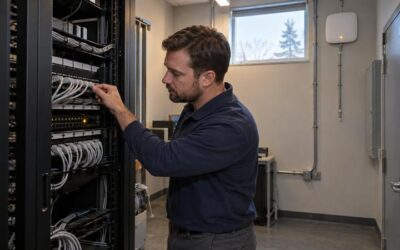
Business network monitoring alerts work best when they are built on baselines. At ASCIO Wireless, LLC, internal IT teams often see slow applications, dropped calls, unstable WiFi, and brief disconnects long before a full outage occurs. Alerts should distinguish normal variation from early network stress.
Start by baselining traffic, latency, packet loss, device health, and wireless behavior. Then set thresholds around reliability risks, not every metric. Use warning and critical levels, duration checks, and recurrence rules to reduce alert fatigue. Group related symptoms so one uplink issue does not become ten separate tickets.
When alerts return for the same uplinks, wireless areas, or physical connections, that pattern often points to capacity, cabling, or wireless design issues. A clear escalation path helps teams move from logs and thresholds into maintenance, surveys, and on-site support when remote review is not enough.
Read the full article for a practical approach to baselines, alerts, and escalation.

WiFi Design for High-Density Meeting Rooms and Open Workspaces
Meeting room WiFi often looks fine on a floor plan, then slows down when laptops, phones, video calls, and screen sharing start competing in the same space. The issue is usually not signal alone. It is capacity, placement, and cabling support.
At Ascio Wireless, we treat conference rooms as high-density work zones. Coverage and capacity are different. A strong signal does not mean the room can handle full meetings. AP placement, wall materials, switching, and uplink paths all affect real performance.
When the same rooms keep slowing down, a wireless survey can clarify overlap, density issues, and placement assumptions. This supports long-term wireless, networking, and maintenance decisions, not another short-term fix.
Read more for meeting room WiFi design details.

Network Project Handoff Checklist: What Internal IT Teams Should Receive After Installation
A network project is not complete when the equipment is installed. For internal IT to support the environment, the handoff should include final as-built diagrams, patch panel schedules, cable test results, device inventory, VLAN documentation, wireless records, admin access, carrier details, warranty information, and a clear open-issues list.
A live network can still be hard to maintain if records do not match the field. Internal IT should verify that diagrams reflect the final build, test reports map to labeled runs, administrative access has been transferred, and unresolved items are documented before sign-off.
At Ascio Wireless, LLC, we treat handoff as part of durable wireless, cabling, and network support. Read the full article to review the network project handoff checklist.
Older Commercial Building Network Design: Cabling Paths, Ceiling Access, and Wireless Coverage
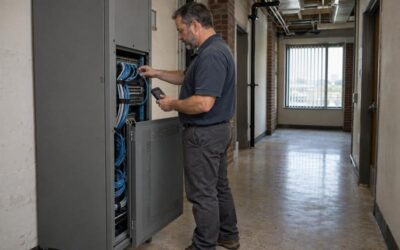
In older commercial buildings, the structure often drives network design before hardware choices. Cabling paths, riser access, ceiling conditions, and dense wall materials shape what can be installed and how reliably it will perform.
At Ascio Wireless, we treat these spaces as building-first projects. Practical planning starts by checking existing pathways, closet placement, cable condition, power and PoE readiness, and whether access points can be placed for coverage instead of cable convenience.
A wireless survey helps when brick, plaster, mixed construction, or inherited layouts make coverage unpredictable. Planning structured cabling and wireless together reduces overlap, dead zones, and support issues later.
Read the full post for a practical older-building network planning checklist.

Business Network and Wireless Infrastructure Services in New England
When New England businesses look for wireless network services, the need is often broader than weak WiFi. Problems can involve coverage, interference, access point placement, outdated cabling, or capacity strain.
Internet service and wireless service are not the same thing. A carrier can connect the building, but that does not always fix dead zones, unstable roaming, or slow performance in specific work areas. Replacing hardware without assessing the environment can leave the same complaints in place.
Wireless surveys, structured cabling, access point planning, on-site support, and network maintenance help connect symptoms to the infrastructure behind them. These services are especially useful during office expansions, renovations, and multi-site operations.
Ascio Wireless, LLC supports businesses with wireless surveys, network infrastructure, cabling, on-site support, and long-term maintenance. Read the full post.

Warehouse WiFi Troubleshooting for Scanners, Voice, and Mobile Devices
Warehouse WiFi issues often come from more than weak signal. Scanners, voice devices, and mobile computers can disconnect while moving because of roaming friction, AP placement, aisle layout, cabling, or upstream network problems.
The symptoms help point to the cause. Drops while workers move suggest roaming or coverage transition issues. Problems in the same aisle or dock area suggest layout, racking, or placement. Strong signal with lag can point to interference, retries, or a bad wired path behind the AP.
When settings changes stop helping, the next step is usually a wireless survey, infrastructure review, or targeted network troubleshooting. The goal is a network that matches how the facility works and supports long-term reliability.
Read the full warehouse WiFi troubleshooting guide from ASCIO Wireless.
Wireless Site Survey Acceptance Testing: How to Validate a Business WiFi Installation
A working WiFi connection and a coverage heatmap do not prove that a business installation meets agreed requirements.
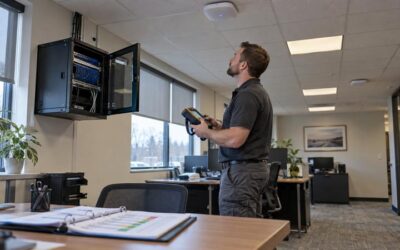
Validate an installed wireless network by verifying access points, cabling, power, and configuration. Measure RF conditions in required areas, then test representative devices, authentication, applications, roaming, and expected load.
Keep passed, failed, and untested requirements separate in an acceptance record. Include test conditions, owners, and support escalation so maintenance starts with a clear baseline.
Read the full article for a practical checklist for WiFi acceptance testing.
Network Assessment vs Wireless Site Survey: How to Choose the Right Starting Point
A Wi-Fi complaint does not tell you where the failure begins. The right first step supports long-term infrastructure decisions, not a default equipment replacement.
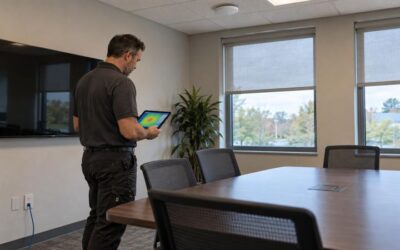
Start with a network assessment when wired and wireless connections fail together, or when multiple areas share the same symptoms. Prioritize a wireless site survey when a room, meeting space, occupancy level, or movement pattern affects performance.
Useful findings include evidence, methods, limitations, and clear next steps. A coverage map is not a complete health check, and more access points are not a default fix for cabling, switching, power, or upstream issues.
Read more to see how we scope network assessments and wireless site surveys for New England businesses.

What a Professional Wireless Site Survey Report Should Include and How to Use It
A wireless site survey report is more than heat maps. We treat it as the operations document that guides installation, validation, and maintenance. If it stops at coverage visuals, the install team is left to guess.
A professional report states the real site assumptions, application targets, AP mounting methods, cable paths, power sources, and interference findings. It defines acceptance criteria as measurable thresholds and includes a validation plan tied to those thresholds. That keeps post-installation sign-off factual instead of impression based.
The report should also become the as-built record. It should include final AP locations, channel settings, deviations, validation results, and re-survey triggers. Store it in one versioned place. That gives the maintenance team an RF baseline when walls, equipment, or client devices change.
Read the full article for the complete report checklist.
What a Business Network Assessment Should Include: Scope, Testing, and Deliverables
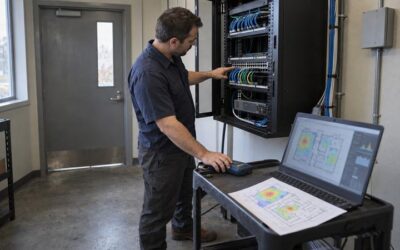
Business network assessments are ready to support decisions when they produce usable infrastructure documents. A report that only lists issues cannot support maintenance work orders, budget requests, or upgrade scoping.
We evaluate scope by whether it includes discovery, wired testing, wireless survey, performance baselines, and security review where applicable. The deliverables should be specific. They should include location aware inventory, physical and logical topology, wireless heat maps tied to floor plans, port level cabling records, performance data, prioritized findings, and a planning package.
That documentation gives technicians a reference for future support calls. It helps separate capacity problems from configuration problems and gives finance a clear basis for phasing work.
Read more to learn what documents to expect from a network assessment.
How to Standardize Network Design Across Multiple Locations
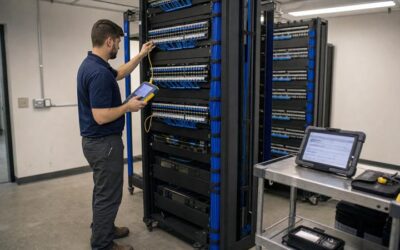
Standardizing networks across multiple locations is about more than matching equipment. It’s about creating one repeatable baseline for architecture, cabling, Wi-Fi, documentation, testing, and maintenance. That baseline makes troubleshooting, support, and expansion faster at every site.
A clear standard defines what stays consistent and what can change. Site-specific exceptions need to be documented, not hidden. When variations happen without records, they become technical debt that future teams have to rediscover under pressure.
The process includes validating each new location against its building and operational conditions, then testing and documenting the completed site. This keeps the network supportable long after installation.
Ascio Wireless approaches network standardization as a long-term infrastructure process. Read the full article to learn how to build a multi-site network standard.