 Follow us on Facebook
Quick Answer: Enterprise WiFi breaks down when it is designed for signal coverage instead of real usage demand, or when the wireless layer is not aligned with the underlying infrastructure. Reliable performance at scale requires coordinated planning across access points, cabling, interference control, and ongoing support.
Introduction
Most enterprise WiFi issues do not start as complete failures. The network shows strong signal, devices connect, and everything appears stable. Then performance slows, calls drop, and certain areas become unreliable.
This pattern is common in growing environments. As more users and devices come online, early design decisions become more noticeable. Adding more access points is often the first reaction, but it rarely addresses the root problem.
Enterprise WiFi design is not about filling space with signal. It is about building a system that performs consistently under real-world demand.
Why Enterprise WiFi Design Is More Complex Than It Looks
Coverage vs Capacity: The Core Misunderstanding
Coverage determines whether devices can connect. Capacity determines whether they can perform once connected.
A network can show full signal and still struggle under load. This happens in offices, warehouses, and shared environments where device counts increase over time. As more devices compete for the same wireless resources, performance drops.
If WiFi looks strong but feels slow, the limitation is often capacity, not coverage.
Why “More Access Points” Isn’t Always the Answer
Adding access points without a plan can create overlapping coverage and channel interference. Instead of improving performance, the network becomes harder to manage and tune.
This usually gets worse over time. Access points are added in response to complaints rather than as part of a coordinated design. The result is a network that stays connected but delivers inconsistent performance.
More hardware does not fix design issues. In many cases, it amplifies them.
The Foundations of Enterprise Wireless Network Design
Understanding RF Behavior in Real Environments
Wireless signals are affected by everything in their path. They weaken, reflect, and scatter depending on the environment.
This is where many designs fall short. Plans based on open-space assumptions rarely match real conditions once walls, equipment, inventory, and daily movement are introduced.
The result can be uneven coverage, unstable connections, and areas that behave unpredictably.
The Role of Building Materials and Layout
Materials like concrete, metal, and glass directly affect signal strength. Layout matters as well. A warehouse with tall racking behaves very differently from an open office.
Renovations and reconfigurations can also change network performance. A layout that worked before may struggle after walls, shelving, or equipment locations shift and alter the signal path.
Ignoring the physical environment is one of the fastest ways to create coverage gaps and inconsistency.
Interference: Internal and External Sources
- Nearby networks using the same or adjacent channels
- Devices such as scanners, IoT equipment, and other electronics
- Poor channel planning that creates unnecessary overlap
Interference is part of every wireless environment. When it is not managed, it reduces network efficiency and stability.
It is also a common reason performance feels inconsistent, especially in dense or fast-changing spaces.
Key Components of a Scalable WiFi Architecture
Access Point Placement and Density Planning
Access points should be placed based on how the space is used, not just how it looks on a floor plan. High-demand areas need different planning than low-traffic zones.
A common mistake is evenly spacing access points without accounting for actual usage. That can create overloaded areas while other parts of the network remain underused.
Effective design follows user behavior, device density, and application demand rather than symmetry alone.
Channel Planning and Spectrum Management
Channels must be assigned carefully to reduce overlap. When multiple access points compete on the same channel, performance can decline across connected devices.
This is where many networks quietly degrade. Everything appears connected, but performance becomes inconsistent under load.
Well-planned channel allocation is essential for stable day-to-day performance.
Wired Infrastructure: The Backbone of Wireless
Wireless performance depends on the wired network behind it. Cabling, switching, uplink capacity, and power delivery all play a role.
One common issue is upgrading access points while leaving the underlying infrastructure unchanged. If the wired side cannot support the increased demand, wireless performance will still be limited.
Strong wireless performance starts with a solid foundation. Learn more about structured cabling design best practices and how they support consistent network performance.
If the wired layer is constrained, the wireless network will reflect those limits.
The Importance of Wireless Site Surveys
Predictive vs Passive vs Active Surveys
Each survey type serves a different role. Predictive surveys model expected performance. Passive surveys measure existing conditions. Active surveys test how the network performs during use.
Skipping measurement is where many design problems begin. Assumptions rarely match real-world conditions.
How Heatmaps Inform Better Decisions
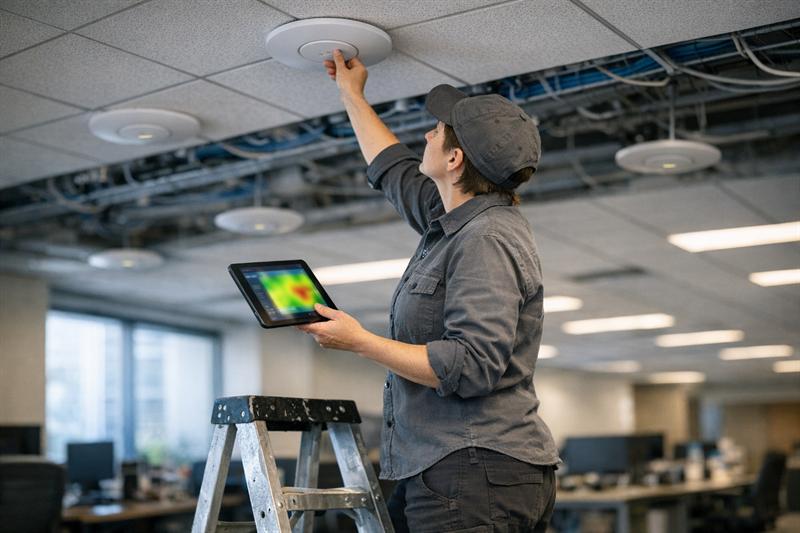
Heatmaps show how signal behaves across a space. They can highlight weak areas, overlap, and interference patterns.
This creates clearer direction for placement and adjustments. Without that data, design decisions rely more heavily on estimation.
When a Survey Becomes Critical (Not Optional)
- Large or multi-floor buildings
- High-density environments
- Recurring performance complaints
In these situations, skipping a survey often leads to rework later.
These conditions are frequently identified during a network assessment, where performance issues can be traced back to design limitations.
If your network shows these signs, it may be time to review the design:
- Strong signal but slow or inconsistent performance
- Frequent disconnects in specific locations
- Performance drops during peak usage
- Growth without corresponding infrastructure updates
These are common signs of structural limitations in the network design. If they are left unresolved, performance usually becomes harder to maintain as demand increases.
Designing for High-Density and Complex Environments
Offices vs Warehouses vs Campuses
Different environments require different approaches. Offices concentrate users. Warehouses introduce physical barriers. Campuses extend coverage across larger areas and buildings.
Applying a single design approach across all three usually leads to avoidable performance issues.
Device Growth and Future-Proofing
Device counts increase over time. Laptops, mobile devices, scanners, and connected systems all add to network demand.
A network designed only for current usage can begin to struggle as demand grows.
Planning for growth helps maintain performance and reduces the need for repeated redesign.
Roaming and Seamless Connectivity
Devices moving between access points need smooth transitions. When roaming is not configured well, connections can drop or stall.
This is sometimes mistaken for a device issue, but it often traces back to network design and tuning.
Common Enterprise WiFi Design Mistakes
Overlapping Channels and Signal Contention
Channel overlap forces devices to compete for airtime. This reduces available bandwidth and slows performance.
It often shows up as slow speeds even when signal strength appears strong.
Ignoring Cabling and Power Constraints
Access points depend on proper cabling and sufficient power. When either is limited, performance is constrained from the start.
This is a common source of hidden issues, where wireless problems actually begin in the wired layer.
Designing Without Long-Term Maintenance in Mind
Networks are not static. Firmware updates, environmental changes, and device growth all affect performance.
Without ongoing monitoring and adjustment, smaller issues can build over time and lead to broader instability.
Many of these challenges are outlined in network design planning errors that continue to affect performance after deployment.
From Design to Long-Term Performance
Monitoring and Optimization
Continuous monitoring helps identify performance issues early. This includes tracking usage patterns, interference, and network load.
Without it, problems are often addressed only after users are already affected.
When to Upgrade vs Reconfigure
Not every issue requires new equipment. Many problems come from configuration, placement, or broader design limitations.
Replacing hardware without addressing those factors often leads to the same performance problems returning.
The Role of Ongoing Network Support
Stable performance depends on regular maintenance and adjustment. Networks need to evolve as usage changes.
That is what helps performance stay consistent over time instead of gradually declining.
Key Takeaways
- Enterprise WiFi issues are often tied to capacity, not just signal strength
- Unplanned access point additions can increase interference and complexity
- Wireless performance depends on a properly designed wired foundation
- Site surveys provide data for more accurate design decisions
- Ongoing support helps maintain long-term performance
Conclusion
Enterprise WiFi problems develop when networks are designed for initial coverage but not for sustained demand. What begins as minor slowdowns can become broader instability as more users and devices rely on the system.
If these issues are not addressed, performance can continue to drop, troubleshooting becomes reactive, and upgrades may deliver limited improvement because the underlying design has not been corrected.
Ascio Wireless, LLC focuses on building networks designed to perform over time. That includes aligning wireless design with infrastructure, validating performance through surveys, and supporting the network as it evolves.
If your network is already showing signs of strain, the next step is to identify where the design is limiting performance and address it before the problem spreads further.
Company Approach: How Ascio Wireless Builds Reliable Networks
Ascio Wireless approaches wireless, cabling, and network performance as parts of one system. Each layer is planned together to reduce the gaps that commonly lead to instability.
The focus is on long-term reliability. Instead of relying on short-term fixes, the goal is to build networks that continue to perform as demand increases.
This includes site surveys, infrastructure planning, and ongoing support that keeps the network aligned with how the business actually uses it.
FAQ
What is enterprise WiFi design?
Enterprise WiFi design is the process of planning wireless networks for larger environments with a focus on performance under load. It includes access point placement, channel planning, and alignment with the supporting infrastructure. A structured design approach helps maintain reliability as usage increases.
How many access points does an enterprise network need?
The number depends on device density, usage patterns, building layout, and performance goals rather than square footage alone. High-demand areas require more precise placement and configuration. A site survey provides the data needed to guide placement decisions.
Why is my WiFi strong but still slow?
This often points to a capacity limitation rather than a coverage issue. Too many devices sharing the same channels can reduce performance. Reviewing channel planning, density, and overall design helps identify the cause.
What is a wireless site survey and why is it important?
A wireless site survey evaluates signal coverage, interference, and real-world performance. It uses tools such as heatmaps to guide placement and configuration decisions. This helps reduce design errors and improve long-term reliability.
How do you design WiFi for large buildings?
Designing WiFi for large buildings requires planning for both coverage and capacity across different areas. That includes RF analysis, infrastructure planning, and adjustments based on layout and expected usage. A structured approach supports more consistent performance throughout the space.
What causes interference in enterprise WiFi networks?
Interference can come from nearby networks, electronic devices, and physical features within the building. Channel overlap and physical barriers can reduce signal quality and efficiency. Proper planning and analysis help minimize these effects.