 Follow us on Facebook
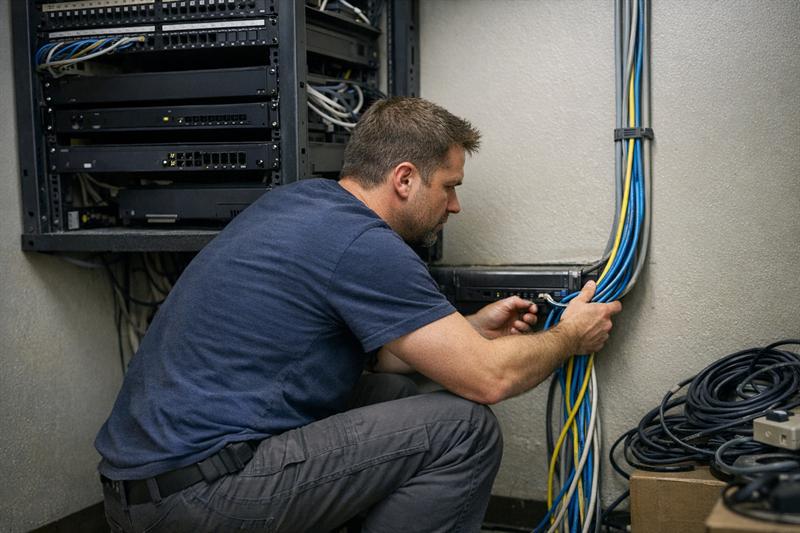
Quick Answer: Network redundancy helps reduce downtime by removing single points of failure and allowing systems to switch to backup connections, hardware, or paths when something breaks. Many outages trace back to design gaps, untested failover, or backup systems that still rely on the same underlying infrastructure.
What Network Redundancy Really Means for Businesses
Network redundancy is not just a backup sitting idle. It is a network designed so operations can continue when part of the system fails.
That means building overlap into critical components. If one element goes down, another can take over with little or no interruption to connectivity or internal systems.
- Backup systems exist but are not fully integrated
- Failover is not automatic or routinely tested
- Primary and backup systems share the same physical dependencies
Businesses often assume redundancy is in place, then discover during an outage that one failure still takes everything offline because the design was never fully separated.
Why Downtime Happens (And Where Most Networks Fail)
Downtime usually stems from overlooked weak points rather than one major failure. Small design decisions can create risk that only becomes obvious when something breaks.
Single Points of Failure
Relying on one internet provider or one core device creates a fragile system. When that component fails, the entire network is affected.
A network can perform well day to day and still fail completely if everything depends on one path.
Infrastructure Weaknesses
Physical infrastructure is a common blind spot. Cabling layout, routing paths, and material quality all affect reliability.
One frequent issue is “redundant” lines installed through the same conduit or pathway. When that path is damaged, both primary and backup connections can go down together.
In older buildings, signal degradation and interference can also contribute to instability. These issues are explored further in data cable performance issues in older buildings, where physical limitations directly affect network performance.
Lack of Monitoring and Maintenance
Redundancy that is not tested may not perform when needed.
Configurations drift, hardware ages, and failover systems can stop working quietly. The first real test often happens during a live outage, when recovery does not go as expected.
Core Types of Network Redundancy
Effective redundancy is layered. It spans connectivity, hardware, and the physical network itself.
Internet Connection Redundancy
Multiple internet providers or a mix of wired and wireless connections can help maintain access when one service goes down.
Hardware Redundancy
Critical devices such as switches, routers, and firewalls may need backup counterparts ready to take over. Power redundancy can also support continuity during localized failures.
Path and Cabling Redundancy
This is where many networks fall short. Redundant systems only work as intended when they follow separate physical paths.
Design decisions at this level matter. In structured cabling design best practices, layout and routing are treated as part of uptime planning, not just installation detail.
Wireless Redundancy
Wireless networks should provide overlapping coverage where continuity matters. Coverage gaps can become failure points when primary systems go down or traffic shifts unexpectedly.
How Redundant Network Systems Actually Work
Redundancy depends on how quickly and reliably systems respond to failure.
Failover Systems
Failover detects an issue and shifts traffic to a backup system. Automatic failover is common because it reduces delay.
A frequent problem is failover that exists but is not configured correctly. In those cases, the backup never activates, and downtime continues.
Load Balancing
Load balancing distributes traffic across multiple systems to prevent overload. It can also reduce strain on individual components.
This approach supports both performance and stability. More detail is covered in network load balancing strategies, where traffic distribution is part of long-term reliability planning.
Automatic vs Manual Switching
Automatic systems respond immediately. Manual systems depend on someone stepping in.
In practice, manual switching usually extends downtime. What starts as a minor disruption can become a longer outage because response is delayed.
Building a Redundancy Strategy That Matches Business Risk
Redundancy should match how much disruption a business can tolerate. The right level depends on how critical the network is to daily operations.
Small Business vs Enterprise Needs
Smaller environments often start with basic failover. Larger operations may require multiple layers across systems, locations, and services.
Cost vs Impact of Downtime
This is a key decision point. Downtime can interrupt revenue, communication, service delivery, and internal operations.
If systems going offline stop work entirely, redundancy should be treated as core infrastructure.
Industry-Specific Considerations
Some industries require near-continuous uptime, while others can tolerate short interruptions. Network design should reflect that reality.
If your network has already experienced outages or instability, there may be gaps in the current redundancy design.
- Internet outages take down the entire network instead of failing over
- Systems take longer than expected to recover
- Performance drops before failures occur
- Backup systems have not been recently tested
At that point, a detailed review can help identify weak points and correct them before outages repeat.
The Most Common Mistakes in Network Redundancy Design
- Relying on a single backup connection
- Placing primary and backup systems on the same infrastructure
- Failover systems that are never tested
- Ignoring risks in cabling and physical layout
- Leaving gaps in wireless coverage
These issues are common in networks that appear redundant on paper but are not isolated enough to prevent failure.
The result is repeat outages instead of one-time events.
The Role of Ongoing Network Maintenance in Uptime
Redundancy needs ongoing attention to remain effective.
Failover systems should be tested. Equipment should be monitored. Infrastructure needs periodic review as usage and conditions change.
Environmental factors and seasonal shifts can also affect performance. Planning for those conditions is part of maintaining stability, as outlined in spring network maintenance planning.
Without maintenance, redundancy weakens over time. When a failure happens, the system may not respond as designed.
When to Upgrade Your Network Infrastructure
Certain patterns suggest the current network no longer supports reliable operation.
- Recurring outages or instability
- Increased device load
- Longer recovery times after failures
- Older systems struggling to keep up with demand
This often means the network was built for a different level of usage. Upgrading may be necessary to restore consistent performance.
Conclusion
Network redundancy breaks down when it is treated as a single backup instead of a layered system.
That can lead to repeated outages, slower recovery, and growing operational risk. Left unaddressed, these issues can disrupt day-to-day operations more often over time.
Ascio Wireless, LLC builds network infrastructure for real operating conditions. That includes separating systems properly, designing redundancy across wired and wireless environments, and supporting those systems over time.
If outages are happening or recovery is inconsistent, the next step is a clear review of where the network is vulnerable and what needs to be improved before the next disruption.
Key Takeaways
- Network redundancy helps reduce downtime by removing single points of failure
- Reliable systems usually require multiple layers across connectivity, hardware, and cabling
- Failover should be configured correctly and tested regularly
- Many failures come from design gaps and lack of maintenance
- Redundancy should reflect how critical the network is to operations
Company Approach to Network Reliability
Reliable networks are built with long-term performance in mind. That means planning for failure, not just normal operation.
This approach focuses on identifying weak points early, separating critical systems, and building redundancy into both wired and wireless infrastructure.
It also avoids short-term fixes that create new risks later. Stability comes from deliberate design, careful installation, and consistent support over time.
Frequently Asked Questions
What is network redundancy for business?
Network redundancy is the use of multiple systems or pathways to keep operations running when a failure occurs. This can include backup connections, hardware, and routing paths. If a network has not been reviewed recently, hidden single points of failure may still be present.
How does network redundancy prevent downtime?
It allows systems to switch to backup components when failures occur. Failover systems and load balancing can help maintain connectivity. If failover is not tested regularly, the system may not respond as expected during an outage.
What is the difference between failover and redundancy?
Redundancy means backup systems are in place. Failover is the mechanism that switches to them. Without proper configuration, redundancy may exist but not activate, which can extend downtime.
Do small businesses need network redundancy?
Yes. Even short outages can interrupt operations and communication. Many small businesses benefit from basic redundancy, especially when daily work depends on network access.
What are examples of network redundancy?
Examples include dual internet providers, backup network hardware, and separate cabling paths. Wireless backup connections can also be used. Combining multiple layers usually provides stronger protection than relying on a single solution.
How often should failover systems be tested?
Failover systems should be tested regularly as part of maintenance. Systems that are not tested are more likely to underperform during real outages. Regular checks help confirm that redundancy works when it is needed.