 Follow us on Facebook
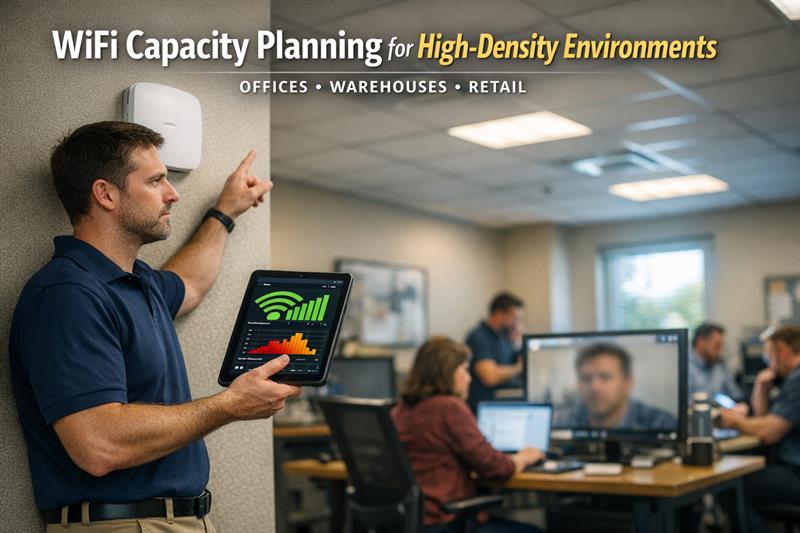
Quick Answer: Business WiFi problems are often caused by capacity limits, not weak signal. When too many devices share limited wireless airtime and bandwidth, networks slow down, connections become less stable, and performance becomes inconsistent even when signal strength appears strong.
Introduction
Most business WiFi problems do not start with coverage. They start when real usage pushes the network beyond what it was designed to handle.
That is a common issue in offices, warehouses, and retail spaces. The signal appears strong, but performance drops during busy periods. Video calls lag, cloud-based systems slow down, and users reconnect just to stay online. Adding more access points does not solve that by itself, and in some cases it creates more interference.
WiFi capacity planning focuses on how the network behaves under load, not just where signal is available.
Why WiFi Capacity Planning Matters More Than Coverage
Coverage allows devices to connect. Capacity determines whether they can function reliably once connected. Many networks are designed around coverage first, which is often where performance problems begin.
The Common Mistake: “We Just Need More Signal”
Strong signal does not automatically mean strong performance. When additional access points are added without coordination, they compete for airtime and overlap on the same channels. That creates interference and reduces efficiency across the network, even though devices may still show full signal.
What Happens When Capacity Is Ignored
- Speeds drop during peak usage periods
- Devices struggle to stay connected or roam cleanly
- Voice and video applications become unstable
- Network congestion builds as more devices compete for bandwidth
A typical pattern is a network that performs well at first, then gradually declines as more devices and cloud-based tools are added. That is where small issues become ongoing performance problems.
For a deeper look at how these issues show up day to day, see common business WiFi performance problems.
What Is WiFi Capacity Planning?
WiFi capacity planning is the process of designing a wireless network around how many devices will be active at the same time and what those devices need to do. It focuses on real usage rather than theoretical coverage.
Capacity vs Coverage Explained
Coverage is the reach of the signal. Capacity is the network’s ability to support multiple devices using that signal at the same time. A network can cover an entire space and still perform poorly if too many devices are active on the same access points.
Key Variables That Affect Capacity
- Number of devices active at the same time
- Type of traffic, such as video, voice, or cloud applications
- How devices connect, roam, and share available airtime
One of the most common planning gaps is focusing on total users instead of concurrent usage. Networks run into trouble under load, not on paper.
Key Factors That Impact WiFi Capacity in Business Environments
Number of Users and Devices
Each user typically connects more than one device. Over time, that number often increases as more systems rely on wireless connectivity. This adds continuous pressure to the network, even if staffing levels stay the same.
Application Demands
Applications drive capacity requirements. Video conferencing, cloud platforms, and real-time tools place a steady load on the network. A common problem is a network designed for light browsing being pushed into supporting higher-demand workflows without any redesign.
Physical Environment and Interference
Building materials, layout, and nearby networks all affect performance. Warehouses with metal racking and equipment can create reflections and signal disruption. Office environments introduce density and overlapping coverage. These conditions change how capacity is distributed across the space.
Device Types and WiFi Standards
Not all devices perform the same way. Older devices or mixed WiFi standards can reduce overall efficiency because access points must accommodate lower-performing clients. That can slow performance across the surrounding network area.
Environment-Specific WiFi Planning Considerations
Offices
Office environments often concentrate usage in specific areas. Conference rooms, shared spaces, and video-heavy workflows create bursts of demand. That is where localized congestion can start and affect nearby access points.
Warehouses
Warehouses introduce mobility and physical obstacles. Devices move constantly, and materials affect signal behavior. Without proper planning, this can lead to inconsistent connectivity and poor roaming between access points.
Retail Spaces
Retail networks deal with fluctuating demand. Guest WiFi, transaction systems, and peak traffic periods create spikes that stress the network. Systems that work during slow periods may struggle during busy hours.
How to Estimate Access Point Density
Why “One AP Per X Square Feet” Fails
Square footage does not reflect how a network is actually used. That rule ignores how many devices connect in each area and what those devices are doing. As a result, some access points become overloaded while others are underused, creating uneven performance.
A Practical Planning Approach
Effective planning starts with usage. Estimate how many devices will be active at the same time, identify high-demand applications, and account for environmental constraints. From there, access point placement and configuration should be validated through testing.
This is where many networks fall short. They are installed based on layout alone and never checked against real operating conditions.
If Your WiFi Slows Down Under Load, This Is Usually Why
When a network works well with a few users but degrades during busy periods, capacity is often the limiting factor.
- Performance drops at predictable times of day
- Video calls and cloud systems become unstable during peak usage
- Adding access points did not improve performance
- Different areas show inconsistent speeds
These patterns usually point to a network that was not designed around real usage. At that point, improvements typically depend on measuring demand and adjusting the design accordingly.
The Role of Wireless Surveys and Real-World Testing
Predictive vs On-Site Surveys
Predictive surveys model how a network should perform. On-site surveys measure how it actually performs. Both are useful, but real-world validation is what confirms whether the design holds up under load.
Why Measurements Matter More Than Assumptions
No two environments behave exactly the same way. Assumptions based on layouts or estimates can miss interference, congestion, and usage patterns. Testing shows where performance breaks down so those issues can be corrected before they affect operations.
Infrastructure Matters: Cabling, Backhaul, and Network Support
Why WiFi Depends on Wired Infrastructure
Wireless networks rely on wired infrastructure to perform properly. Access points connect through cabling and switching, and those systems need to support the traffic being generated. When the wired layer is undersized, it can limit wireless performance.
Designing for Long-Term Scalability
Capacity needs increase over time. Networks designed only for current demand are more likely to need frequent upgrades. Planning for growth creates a more stable foundation. A broader approach is outlined in how to plan a scalable network infrastructure for business growth.
That reduces the need for reactive changes and helps support more consistent performance as usage expands.
Common WiFi Capacity Planning Mistakes
- Adding access points without a coordinated design
- Overlooking how many devices are active at the same time
- Creating channel overlap that leads to interference
- Skipping validation after installation
- Designing only for current usage instead of future demand
These issues usually surface over time. What starts as minor slowdowns can become a more consistent limitation as usage increases.
When to Consider Professional WiFi Planning Services
There is a point where incremental fixes stop working. High-density environments usually require structured planning, measurement, and adjustment.
A common mistake is adding hardware in response to complaints without addressing the underlying design. That increases complexity but does not fix the root issue.
Professional planning focuses on how the network performs under real conditions and aligns the design with how the business actually operates.
Conclusion
WiFi issues in business environments are often tied to capacity, not signal strength. Networks that are not designed for real usage demands become less reliable as more devices and applications are added.
If that is not addressed, performance tends to decline over time. What begins as occasional slowdowns can turn into ongoing disruption that affects daily operations.
Ascio Wireless, LLC focuses on building networks that handle real-world demand. That includes planning for device density, validating performance through testing, and supporting the infrastructure behind the wireless network.
If your network slows down during busy periods or struggles to keep up with growth, the next step is to evaluate how it was designed and where capacity needs improvement.
Key Takeaways
- WiFi performance issues are often tied to capacity, not coverage
- Concurrent device usage drives network demand
- Adding access points without planning can reduce performance
- Real-world testing is necessary to confirm performance
- Wired infrastructure directly affects wireless reliability
FAQ
How do you calculate WiFi capacity for a business?
WiFi capacity depends on how many devices are active at the same time and the type of traffic they generate. Higher-demand applications like video and cloud services increase the load per user. That is why planning focuses on concurrent usage rather than total users. When usage patterns are unclear, a more detailed evaluation is usually needed.
What is the difference between WiFi coverage and capacity?
Coverage refers to where a signal is available. Capacity refers to how well the network performs when multiple devices are using it. A network can have full coverage and still struggle if too many devices share limited resources.
How many access points does my business need?
The number depends on how many devices are active, how they are used, and how the space is laid out. Square footage alone is not enough to determine this. Networks designed that way often need adjustments once real usage increases.
Why is my WiFi slow even with strong signal?
This often points to congestion. When multiple devices share the same access point, available airtime and bandwidth are divided, which reduces performance. In that case, the issue is capacity rather than signal strength.
Do I need a wireless site survey for my business?
A site survey helps measure how the network performs in real conditions. It can identify interference, coverage gaps, and overloaded areas. This is especially useful in environments with high device density or ongoing performance issues.
Can adding more access points improve performance?
It can, but only when they are properly planned and configured. Without coordination, additional access points can interfere with each other and reduce overall efficiency. That is why design and validation matter before expanding the network.