 Follow us on Facebook
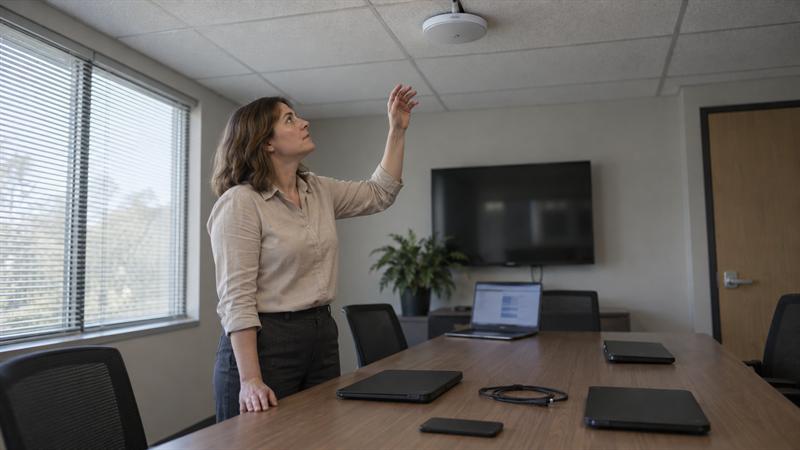
In many offices, WiFi issues do not show up everywhere. They usually show up where people gather. A conference room that looks covered on a floor plan can still slow down once laptops, phones, conferencing hardware, guest devices, and screen sharing start competing in the same space.
At Ascio Wireless, LLC, this is a familiar pattern in business environments that depend on collaboration-heavy rooms but were planned around general coverage. The signal reaches the room, but the design does not fully account for what happens there during peak use.
Why Meeting Rooms and Open Workspaces Create Different WiFi Challenges
Meeting rooms and open workspaces create different wireless demands because usage becomes concentrated. Instead of users spread across desks and offices, many devices become active in the same place at the same time.
That changes the job WiFi has to do. A typical office area mainly needs steady coverage across a broad footprint. A meeting room or open collaboration space needs enough capacity to support bursts of simultaneous activity without dragging down performance when the area fills up.
- General office WiFi: distributed users, steadier activity, broader coverage goals
- High-density collaboration spaces: clustered users, simultaneous activity, higher capacity pressure
This becomes more noticeable when businesses add hybrid meetings, wireless presentations, guest access, and cloud-based collaboration tools on top of daily connectivity. Open workspaces add another layer because devices move more, roam more, and compete across shared wireless space instead of staying in fixed desk locations.
A common pattern is that the rest of the office seems fine while complaints keep coming from the same few rooms. That usually suggests the issue is not general coverage. It points more directly to a room-specific capacity or design problem.
Coverage Is Not the Same as Capacity
Strong signal does not always mean strong performance. This is where many meeting room WiFi design problems begin.
Coverage means the wireless signal reaches the space. Capacity means the network can support the number of active devices and the amount of traffic happening in that space at the same time. A room can have good coverage and still perform poorly once too many devices start sharing the same airtime.
If that distinction is unclear, WiFi coverage vs. capacity is one of the most useful concepts to understand before changing hardware or placement.
In business environments, this often shows up in familiar ways:
- video calls become unstable when a room fills up
- screen sharing lags during presentations
- guest devices connect, but performance drops once employees join
- the room works fine between meetings, then slows down during active use
If you are seeing full bars but poor performance during meetings, the room may have enough signal but not enough usable wireless capacity. Adding more access points without reviewing the design can make that worse by increasing contention and overlap.
If your meeting rooms work when empty but struggle when occupied, the design likely needs more than a simple coverage check.
- calls break up only during full meetings
- performance drops in the same rooms at the same times
- users report slowdowns even though signal looks strong
- more devices or collaboration tools were added without redesigning WiFi
When those signs line up, a capacity-focused review or wireless survey is often the next step.
Key Design Factors for Meeting Room WiFi
Access Point Placement Inside vs Outside the Room
Access point placement is one of the most important design decisions in a meeting space. A nearby hallway AP might technically reach the room, but that does not always make it the right choice for a dense, enclosed area.
This is a common issue in commercial spaces where AP placement was driven by convenience, existing cable paths, or ceiling access instead of room behavior. The result is predictable: the room looks covered, but performance drops once the space is busy.
Walls, glass, ceilings, and door placement all affect how well a room is served by nearby APs. That is why access point placement best practices matter so much in conference rooms and huddle spaces. The right placement depends on how the room is used, not just where hardware is easiest to mount.
If a room regularly hosts dense meetings, relying on outside coverage often leads to inconsistent performance. In-room design decisions become more important as device count and active usage rise.
Room Size, Occupancy, and Device Mix
Room size does not tell the full story. Occupancy and device mix usually matter more.
One person rarely means one device in a modern meeting room. It often means a laptop, a phone, and sometimes a tablet, plus conference room hardware, display tools, and guest devices. This is where businesses tend to underestimate demand. A room that looks modest on a floor plan can function like a high-density wireless zone once everyone connects at the same time.
- how many people use the room at peak times
- how many devices each person typically brings
- whether video calls and screen sharing happen regularly
- whether guest users join the same wireless environment
If occupancy patterns are ignored during design, the network may seem acceptable during light use and far less reliable during the meetings that matter most.
Wall Materials, Glass, Ceilings, and Reflective Surfaces
Physical construction changes wireless behavior. Glass-heavy rooms, hard surfaces, ceiling limitations, and reflective materials all affect propagation and placement decisions.
This becomes especially important in commercial renovations and older buildings, where cable routing and mounting options are not always simple. Businesses that want to understand those constraints better can also look at how building materials impact WiFi performance. The point is not that every material creates a problem. The point is that room construction changes what good AP placement looks like.
This is where problems often start when design is based only on a digital floor plan. Real rooms do not behave like clean diagrams. If the space has difficult materials or limited mounting flexibility, those assumptions usually need to be validated before deployment.
Video Calls, Screen Sharing, and Guest Access Patterns
Meeting room WiFi should be designed around what actually happens during meetings. That usually includes more than basic internet access.
Video calls, wireless presentations, screen sharing, collaboration apps, and guest access all create overlapping demand. Even when each tool works well on its own, combining them inside one room can change the load on the network quickly. That is why rooms that seem fine during casual use may start to struggle during all-hands meetings, client presentations, or recurring hybrid sessions.
If the room is expected to support those workflows regularly, the design should reflect that from the start. Otherwise, performance issues are more likely to return because the network was sized for idle connectivity instead of active collaboration.
Designing WiFi for Open Workspaces and Collaborative Areas
Roaming Behavior in Flexible Work Areas
Open workspaces behave differently from fixed desk environments because devices move more. Users shift between desks, soft seating, meeting corners, and informal collaboration zones, and their devices move with them.
That movement changes how wireless sessions behave across the space. A design that looks fine when people are stationary can become less consistent once devices start transitioning between APs during active use. This can show up as spotty performance, delayed reconnections, or less stable collaboration sessions in the areas people use most often.
Balancing Broad Coverage with Localized Density
Open offices need broad wireless coverage, but they also create smaller pockets of high demand. That is the design challenge.
Some areas are mostly pass-through spaces. Others become recurring collaboration zones where multiple users gather for calls, quick meetings, or shared work. A strong design supports both conditions without overbuilding the entire floor for the heaviest-case scenario.
This is where broader planning matters. A closer look at enterprise WiFi design helps connect room-level decisions to whole-office performance. The goal is not just signal everywhere. The goal is usable performance where density rises repeatedly.
Avoiding Overlap and Self-Interference
Adding more APs is not always the same as improving WiFi. In dense environments, poor AP spacing and unmanaged overlap can create new problems instead of solving the original one.
This is a pattern that shows up after repeated attempts to patch poor room performance. One AP gets added, then another, and eventually the space becomes harder to tune because too many radios are competing in close proximity. What started as a room issue can turn into a broader RF design problem.
That is why WiFi capacity planning for high-density environments matters before hardware changes are made. If you are seeing more APs but not better meeting room performance, overlap and channel design usually need to be reviewed before more hardware is added.
Common Design Mistakes That Cause Conference Room WiFi Problems
Most conference room WiFi issues trace back to a few repeat mistakes:
- relying on hallway or perimeter APs for dense enclosed rooms
- designing from square footage instead of actual occupancy and device behavior
- adding APs without validating channel spacing and overlap
- ignoring cabling, switching, or uplink limitations that affect placement choices
- treating repeated room complaints as isolated user issues instead of design signals
A common pattern is that businesses keep troubleshooting symptoms while the underlying design stays the same. That can lead to recurring complaints, inconsistent user experience, and a network that becomes harder to trust. Over time, repeated fixes may cost more than reviewing the design properly.
If handled poorly, these problems tend to compound. Rooms become harder to support, hardware changes become less predictable, and the office can end up with a wireless environment that is more difficult to maintain over time.
When a Wireless Survey Makes Sense
Before a New Deployment or Renovation
A wireless survey makes sense before building out new meeting rooms, changing office layouts, or redesigning collaboration spaces. It helps validate whether planned AP locations, coverage assumptions, and room expectations match the physical environment.
This is especially important when ceiling access, cabling paths, or room construction limit where equipment can actually go. Those constraints affect placement options early, and they often affect results later if they are ignored during planning.
When Problems Persist in Busy Rooms
If problems show up during busy meetings and keep returning in the same spaces, the network needs more than guesswork. Persistent room-specific issues often point to placement, interference, density, or infrastructure constraints that need to be measured directly.
This usually gets worse when teams keep adjusting hardware without a clear baseline. The room may improve briefly, then degrade again once occupancy patterns return. If the same issue keeps resurfacing, the design usually needs validation, not another isolated tweak.
What a Business Should Expect to Learn
A survey should clarify how the room is actually performing, where overlap exists, where assumptions break down, and which changes deserve priority. It should not be treated as a fix by itself.
For businesses comparing next steps, the distinction between a broader network review and a wireless-focused review matters. Network assessment vs. wireless site survey is a useful reference when the problem may involve both wireless design and underlying network conditions.
If the issue is ignored, room complaints are likely to keep returning while support teams spend more time reacting to symptoms. A survey helps replace repeated trial and error with a clearer decision path.
How to Plan a More Reliable Long-Term Wireless Environment
Align Wireless Design with Cabling and Network Support
Reliable wireless depends on more than radio design. It also depends on whether the building can support the right AP locations, uplinks, switching, and long-term maintenance.
At Ascio Wireless, LLC, this is a major part of how projects are approached. Wireless performance issues often trace back to infrastructure decisions that were made too late or treated as separate from the WiFi design itself. If the cabling path limits placement, or switching does not support the intended design, the wireless plan is more likely to be compromised before deployment starts.
This is where coordination matters most. Wireless surveys, structured cabling, networking, and on-site support all contribute to the same outcome: a network that performs in real rooms, not just on paper.
Build for Growth, Not Just Today’s Occupancy
Meeting spaces rarely stay static. Teams change how they work, new collaboration tools get added, and rooms that were lightly used can become high-demand areas over time.
If the design only matches today’s occupancy, the network may fall behind faster than expected. Planning for growth does not mean overbuilding everything. It means understanding which spaces are most likely to take on more demand and designing with that direction in mind.
Maintenance and Tuning After Deployment
Deployment is not the finish line. Real usage reveals issues that planning alone does not always catch.
This is why long-term reliability depends on review, tuning, and maintenance after the network is live. If a space begins showing repeat performance issues, that often means the environment has changed, usage has increased, or assumptions from the original design are no longer holding up.
Key Takeaways
- Meeting room WiFi problems usually come from capacity and placement issues, not missing signal alone.
- Conference rooms, huddle spaces, and open work areas need to be planned around occupancy, device mix, and active collaboration patterns.
- Hallway coverage and quick AP additions often create longer-term performance problems instead of fixing them.
- Room construction, cabling paths, and switch support all affect how well the wireless design can actually be deployed.
- Businesses generally get better results when wireless design is treated as part of long-term infrastructure planning instead of repeated troubleshooting.
Conclusion
The real problem with meeting room WiFi is not that the signal disappears. It is that the network was not fully designed for how the room is actually used once people, devices, and collaboration tools all hit it at the same time.
If that is not addressed, the same complaints often keep coming back. Rooms slow down during the meetings that matter most, quick hardware fixes can create more overlap, and support teams end up spending more time reacting instead of improving the environment.
Ascio Wireless, LLC can be a practical next step when a business needs more than another short-term adjustment. The patterns discussed here often point to a need for better wireless planning, validated placement, and infrastructure decisions that hold up over time. For businesses dealing with recurring room-specific wireless problems or planning new office spaces, that work is often most effective when wireless design, cabling, and network support are considered together from the start.
FAQ
What is the difference between meeting room WiFi design and general office WiFi design?
Meeting room WiFi design focuses on concentrated demand, while general office WiFi design focuses more on broad coverage across distributed users. In a conference room, many devices become active in the same space at the same time, often during higher-demand activities like video calls, presentations, and collaboration sessions.
That distinction matters because a room can show strong signal and still perform badly during meetings. The issue is not whether the room is reached by WiFi. The issue is whether the room was designed to support peak activity inside it.
How many access points does a conference room need?
There is no useful fixed number because the answer depends on occupancy, device density, room layout, nearby AP behavior, and how the room is used. A small room with frequent hybrid meetings may create more wireless demand than a larger room used lightly.
The common mistake is sizing the room by square footage alone. What changes the decision most is how many active devices show up at once and whether the surrounding wireless design can support that room without overlap or contention.
Why does WiFi slow down when a meeting starts even with a strong signal?
Because strong signal is not the same as available capacity. Once a meeting starts, laptops, phones, conferencing equipment, screen sharing, and guest devices begin competing for the same wireless airtime.
This usually means the room has enough coverage but not enough usable capacity during peak load. That is why performance looks fine between meetings and breaks down once the room fills.
Should access points be installed inside meeting rooms or in nearby hallways?
For dense or high-use rooms, nearby hallway APs are often not enough. Walls, glass, ceilings, and room layout change how well outside coverage serves the room, and concentrated in-room demand raises the performance requirement.
The key distinction is between technical reach and practical performance. A hallway AP may reach the room, but if the room regularly hosts dense meetings, that setup often leads to inconsistent results under real use.
When should a business get a wireless survey for conference rooms or open workspaces?
A wireless survey is usually the right next step when a business is redesigning space, building new meeting rooms, or seeing repeat issues in the same high-use areas. It helps validate whether the problem is placement, interference, room construction, overlap, or capacity mismatch.
What gets misunderstood is that recurring complaints are already a design signal. If problems show up only when spaces are busy, the environment often needs measurement and validation rather than repeated ad hoc changes.
Can adding more access points make conference room WiFi worse?
Yes. In dense environments, adding APs without reviewing channel spacing, overlap, and surrounding coverage often creates more contention. The space ends up with more hardware but less predictable performance.
This is one of the most common ways room problems escalate. The issue shifts from “not enough WiFi” to a noisier wireless environment that is harder to tune and maintain.