 Follow us on Facebook
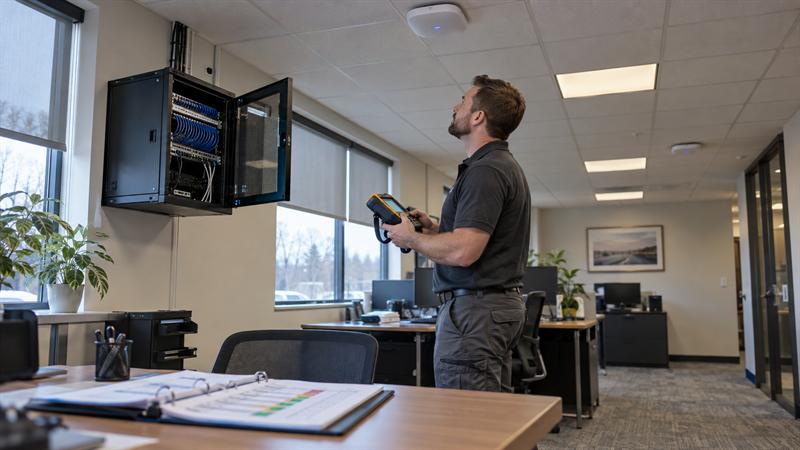
Wireless site survey acceptance testing connects installation completion to evidence of operational readiness. When an installer requests sign-off, the question is whether agreed requirements have been tested and met, not simply whether access points are broadcasting.
Ascio Wireless, LLC’s focus on long-term wireless and network infrastructure makes that distinction practical: useful validation establishes performance under tested conditions, identifies incomplete work, and gives the support team a baseline for investigating problems after handoff.
Key Takeaways
- Agree on required locations, devices, applications, and test conditions before judging results.
- Combine radio frequency (RF) measurements with client and application testing. A heatmap alone does not establish usability or capacity.
- Keep passed, failed, and untested requirements separate, with clear ownership of unresolved items.
- Retain test evidence and installation records as the starting baseline for ongoing support.
What Is Wireless Site Survey Acceptance Testing?
Wireless site survey acceptance testing evaluates whether an installed business wireless network meets agreed project requirements. It combines post-installation RF measurements with relevant device, application, and infrastructure checks, then documents the results, limitations, and unresolved issues stakeholders need to make an informed acceptance decision.
How Predictive Surveys, Post-Installation Surveys, and Acceptance Testing Differ
These activities answer different questions and are not interchangeable deliverables.
- Predictive survey: Models expected coverage using floor plans, building materials, and proposed access point locations.
- Post-installation survey: Measures conditions after installation. Passive measurement observes wireless conditions; active testing uses a connected device to evaluate relevant behavior.
- Acceptance testing: Determines whether the collected evidence satisfies agreed requirements for project completion.
A predicted heatmap is not an on-site passive survey. The step-by-step guide to conducting a business WiFi site survey explains survey execution; acceptance testing adds the requirement-by-requirement decision.
Why a Heatmap Is Only Part of the Evidence
A heatmap shows one measured or modeled value, not every aspect of network operation. Adequate signal does not establish successful authentication, application access, roaming between access points, or performance under load.
A device can show strong signal while its application cannot connect. That symptom calls for testing network access and application dependencies, not assuming coverage is the cause. Acceptance must demonstrate the required workflows, not just the presence of a wireless signal.
Agree on Acceptance Criteria Before Testing
Define success before interpreting measurements. Criteria ideally belong in the project requirements before installation; without them, stakeholders risk evaluating the same results against different expectations.
Define the Required Areas, Devices, Applications, and Conditions
Build the acceptance plan around how the network will be used.
- Locations: Required rooms, work areas, and movement routes.
- Clients: Representative device models and relevant software versions.
- Applications: Workflows users must complete, including mobile use where required.
- Demand: Expected concurrent users and application activity.
- Conditions: Occupancy, configuration, test destinations, and known exclusions.
- Criteria: Agreed measurements and functional outcomes for each requirement.
Numerical targets need an applicable source, such as device or application guidance, and a defined measurement method. A signal-strength target suited to one device or application is not automatically suitable for every deployment.
Assign Test Owners and Acceptance Decision-Makers
Separate responsibility for performing tests from authority to approve the project. A practical division of responsibilities is:
- Installer or testing personnel: Execute the plan and collect evidence.
- Internal IT team: Review configuration, network access, and operational readiness.
- Application stakeholders: Verify required workflows.
- Project owner: Make or coordinate the authorized acceptance decision.
If criteria were never documented, agree on what will be tested and how results will be judged before proceeding. Understanding what happens during a professional network installation helps place this responsibility within project delivery. Technical findings inform acceptance; project terms and approval roles determine how discrepancies are resolved.
Business WiFi Acceptance Testing Checklist
Use these five steps to organize validation, keeping evidence tied to the requirements each step evaluates.
- Verify installed access points and supporting infrastructure.
- Measure coverage and RF conditions in required areas.
- Test representative clients, authentication, and network access.
- Validate application performance and roaming where required.
- Assess representative load and document limitations.
1. Verify the Installed Access Points and Supporting Infrastructure
Confirm that equipment placement, connections, and configuration match the intended design before interpreting performance results.
- Check access point (AP) identities, locations, mounting, and operational status.
- Review relevant wireless configuration against the approved design.
- Verify PoE delivery, where used, and switch-link operation.
- Review relevant cable test records and installation discrepancies.
Use documentation for the actual AP and switch models when assessing power and connection requirements. A passed cable test supports the installation record, but it does not establish end-to-end wireless performance.
2. Measure Coverage and RF Conditions in Required Areas
Measure where devices must operate, including required movement routes, rather than collecting only convenient samples.
- Received signal strength indicator (RSSI): Indicates received signal level.
- Signal-to-noise ratio (SNR): Compares signal level with background noise.
- Channel utilization: Helps assess how busy the wireless channel is.
- Interference and coverage gaps: Identify conditions requiring further investigation.
Record the frequency band, location, measurement tool, survey method, and environmental conditions. Without that context, results are harder to compare during retesting, particularly after layout or configuration changes.
3. Test Representative Clients, Authentication, and Network Access
Use the device classes the business relies on, not only the technician’s laptop. A successful test on one client leaves other required client types unvalidated.
Check that devices join the wireless network, authenticate, receive an address, resolve service names, and reach the intended resources. Depending on the deployment, these checks involve Dynamic Host Configuration Protocol (DHCP), Domain Name System (DNS), virtual local area networks (VLANs), and Remote Authentication Dial-In User Service (RADIUS).
Record device models, operating systems, relevant driver versions, and authentication methods. When one client class fails while others work, compare those differences before treating the entire wireless design as faulty.
4. Validate Application Performance and Roaming Where Required
Test the actual workflow, then use measurements to explain its performance. Relevant measures include throughput, latency, jitter, and packet loss. Select measurements according to the application requirements.
For mobile workflows, test whether sessions continue along required routes. A stationary connection test does not demonstrate what happens as a device moves between access point coverage areas.
Keep tests to a local network destination separate from internet-path tests. If local performance meets requirements but an internet-hosted application does not, investigate the external connection and application path before changing the wireless design.
5. Assess Representative Load and State Test Limitations
Document whether testing represents expected occupancy, concurrent clients, and application activity. Quiet-site success does not prove peak-load performance.
An acceptance gap develops when a single-device test is treated as evidence for a multi-user environment. As demand increases, an untested capacity limitation can become an operational problem rather than a documented project question.
Identify which conditions were tested, simulated, or unavailable. Keep simulated load scoped and clearly documented, and define follow-up testing for requirements that could not be evaluated.
Do not rely on coverage evidence alone when approving an installation. Review the acceptance plan if any of these conditions apply:
- The handoff contains heatmaps but no application test results.
- Only one client type was tested despite multiple required device classes.
- Required movement routes or busy operating conditions remain untested.
- Reported failures have no assigned owner or retest record.
These are evidence gaps, not proof that the installation has failed. Arrange targeted validation and a documented closeout review to resolve missing evidence before making the acceptance decision.
How to Turn Test Results into an Acceptance Decision
Link every requirement to evidence and a clear status. Measurements alone do not support a complete acceptance decision if stakeholders cannot tell which requirements were satisfied.
Create a Requirement-to-Evidence Acceptance Record
Use a consistent record that another technician or stakeholder can follow.
- Requirement and agreed acceptance criterion.
- Location, client, configuration, and test method.
- Observed result and supporting evidence.
- Status, accountable owner, and retest history.
Illustrative record: For a requirement to maintain an application session along a defined route, record the representative device, route, application, agreed interruption criterion, observed behavior, and associated logs. This shows what was evaluated and makes the result more useful than an unexplained “roaming passed” label.
Separate Passed, Failed, and Untested Requirements
Use three distinct statuses so missing evidence is not hidden within an overall approval.
- Passed: Testing demonstrated the agreed criterion under recorded conditions.
- Failed: Testing did not meet the agreed criterion.
- Untested: The necessary test or evidence is incomplete.
Record proposed exceptions with their impact, owner, follow-up action, and authorized decision. Whether conditional acceptance is available depends on the project agreement and approval process. It does not turn an untested requirement into a passed result.
Assign Corrective Work and Retest Against the Same Requirement
Address the identified cause, record the change, and repeat the relevant test under comparable conditions where practical. Check related functions affected by that change.
For example, strong signal with slow application response does not establish that more APs are needed. Further testing should distinguish wireless performance from switch connections, client differences, and application-path limitations.
Undocumented changes can make later comparisons unreliable. Recording what changed helps the support team avoid reconstructing the installation history when the same symptom returns.
What Should a WiFi Validation Handoff Include?
A useful handoff explains what was installed, what was demonstrated, what remains unresolved, and who owns ongoing support.
- Survey and functional test results with conditions.
- As-built plans and AP inventory.
- Configuration records and relevant installation documentation.
- Acceptance decisions, exceptions, and retest history.
- Support ownership and escalation contacts.
Provide Reports, As-Built Records, and Configuration Documentation
Deliver records that let the receiving team locate equipment, understand the accepted configuration, and interpret test results.
- Annotated as-built plans and AP inventory: Identify equipment and its actual installed locations.
- Measured results and acceptance records: Show what met requirements and under which conditions.
- Relevant cable documentation: Supports investigation of the wired infrastructure.
- Configuration backups or references: Preserve the accepted configuration within the agreed scope.
For reporting context, review what a professional wireless site survey report should include. Transfer administrative access securely rather than placing passwords in broadly distributed reports.
Preserve Open Issues, Support Ownership, and a Maintenance Baseline
Keep unresolved issues attached to named owners and agreed follow-up actions. Include escalation contacts so the receiving team knows who is responsible.
Retaining a heatmap while losing the client details and configuration used during testing leaves a documentation gap. After layouts, devices, or demand change, those missing details make comparisons harder. Preserve them and identify material changes that should trigger revalidation.
When Additional Wireless Survey or Network Support Is Appropriate
Choose additional support according to the missing evidence or failed requirement, not the most visible symptom.
- No post-installation measurements: A wireless survey establishes measured RF conditions in the installed environment.
- Strong signal with failed workflows: Investigate client access and the network or application path.
- AP power, link, or cabling discrepancies: Review the supporting infrastructure before attributing the result to coverage.
- Recurring failures after changes: Compare current configuration and conditions with the accepted baseline.
Ascio Wireless, LLC offers wireless surveys, on-site wireless and network support, and cabling services, with a focus on long-term infrastructure rather than quick fixes. The practical approach is to identify which part of the network needs attention, address the documented issue, and retain evidence for ongoing maintenance.
Frequently Asked Questions About WiFi Acceptance Testing
Is a Post-Installation Wireless Site Survey the Same as Acceptance Testing?
No. A post-installation survey measures the installed wireless environment, while acceptance testing determines whether the deployment meets agreed requirements. Coverage measurements, for example, do not demonstrate successful authentication or application use. Vendor terminology varies, so the meaningful distinction is which requirements the documented tests evaluate.
What Signal Strength Is Required to Pass WiFi Acceptance Testing?
There is no single signal-strength threshold for every business WiFi installation. The criterion depends on client devices, applications, locations, and agreed requirements. Adequate received signal does not establish low interference, successful roaming, or usable application performance. Acceptance requires more than meeting one RF measurement.
Can WiFi Acceptance Testing Be Completed Before a Building Is Fully Occupied?
Some checks can be completed before full occupancy, but load-dependent requirements need representative conditions. Access point installation, coverage measurements, and individual connectivity tests do not establish performance under an untested concurrent workload. Requirements that depend on real occupancy conditions should remain identified as untested or deferred rather than being counted as passed.
Who Should Perform WiFi Acceptance Testing and Approve the Results?
Technically qualified personnel should perform the tests, while designated project stakeholders approve the results. Internal IT can evaluate network behavior, application stakeholders can verify workflows, and the project owner can coordinate approval. Independent testing is not required in every project, but performing a test and authorizing acceptance are separate responsibilities.
What Happens if a Business WiFi Installation Fails Acceptance Testing?
A failed requirement should be documented, assigned for corrective work, and retested after changes. The record should identify the affected location or workflow and supporting evidence. Retesting should preserve comparable conditions where practical and check related functions affected by the change. Project terms and approval processes determine conditional acceptance and any follow-up requirements.
Is an Internet Speed Test Enough to Validate a Business WiFi Installation?
No. An internet speed test measures one path at one time, including dependencies beyond the wireless network. A slow result does not isolate a WiFi fault, while a fast result on one laptop does not establish coverage, roaming, authentication, or performance across other devices. It is a useful measurement, not a complete acceptance test.
Conclusion: Sign Off on Evidence and Preserve the Baseline
Contact Ascio Wireless, LLC if your installation is approaching sign-off without documented validation or if it has unresolved wireless and network issues. The problem is not simply missing paperwork; it is accepting performance that has not been demonstrated. Untested requirements leave unanswered questions for the operations team, and later configuration or demand changes can make diagnosis harder.
Request a requirement-by-requirement acceptance record and review it with the installer and internal IT owner. Bring that record, the current report, and unresolved symptoms to Ascio Wireless, LLC to discuss the wireless survey or network support needed. Addressing evidence gaps while installation details are current supports a clearer handoff and a usable baseline for long-term maintenance.