 Follow us on Facebook
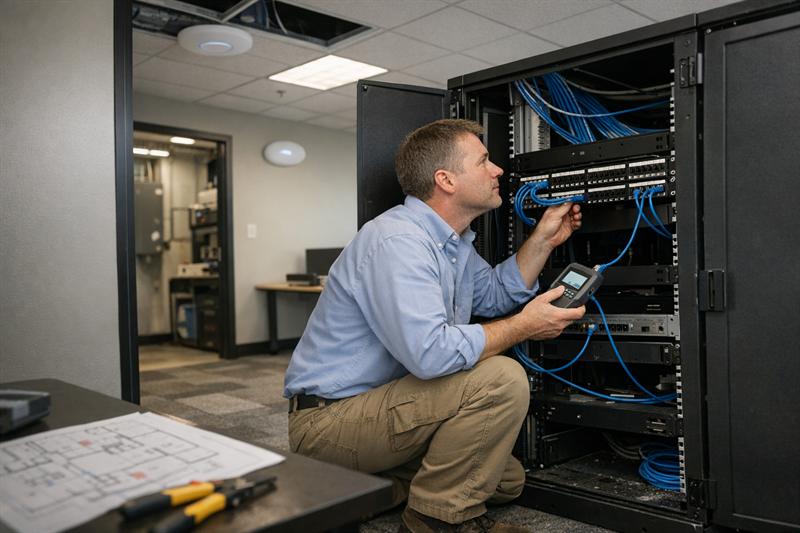
Quick Answer: A business network installation checklist helps keep infrastructure, cabling, wireless coverage, and configuration aligned so the network works reliably from day one. Many network problems in new offices trace back to missed or poorly sequenced installation steps that later show up as slow performance, instability, or costly rework.
Introduction
Setting up a new office network rarely happens in a straight line. Internet providers, cabling teams, and IT configuration are often handled by different groups, each working on its own timeline.
That is where problems can start. When one step is skipped or completed out of order, the issue gets built into the network. It may not be obvious right away, but it often surfaces once the office is fully operational. Ascio Wireless, LLC approaches installation as a coordinated process, which is why a structured checklist matters.
Why a Structured Network Installation Checklist Matters
Without a checklist, network installations can move too quickly or without clear sequencing. That usually leads to gaps that affect performance later.
- Cabling layouts that limit future expansion
- Wireless dead zones caused by poor planning
- Hardware installed before infrastructure is ready
- Missing documentation that slows down troubleshooting
In many new office buildouts, the network appears functional at first, but performance drops as more users and devices come online. Fixing those issues later may require reopening finished spaces or replacing parts of the system.
Pre-Installation Planning Checklist
Define Business Requirements
- Number of users and connected devices
- Core applications and usage patterns
- Expected bandwidth and performance needs
- Security priorities
A common mistake is planning only for current usage. As more devices and applications are added, the network can begin to slow down. In many cases, that leads to early upgrades that better planning could have reduced.
Assess Building Layout and Infrastructure
- Floor plans and construction materials
- Existing cabling and pathways
- Potential sources of interference
Physical layout directly affects network performance. Thick walls, metal structures, and poor cable routing can all contribute to weak signals or inconsistent connectivity. Skipping this step often results in coverage gaps that are harder to correct later.
Plan for Scalability and Growth
- Future hiring and workspace expansion
- Additional devices and higher bandwidth demand
- Flexibility in infrastructure design
Networks that are not designed for growth tend to become restrictive. That often leads to patchwork upgrades that increase cost and complexity over time. Planning ahead helps avoid those limitations. For more detail, see how to plan a scalable network infrastructure for business growth.
Coordinate Vendors and Timelines
- Internet service installation
- Cabling and hardware sequencing
- Clear responsibilities across vendors
Delays and misalignment often happen here. If cabling is incomplete when hardware arrives, or if internet service is not active, the project slows down. Coordinating these steps early helps keep installation on schedule.
Cabling and Physical Infrastructure Checklist
Structured Cabling Design
- Defined cable pathways and routing
- Separation of data and power lines
- Standards-based installation practices
Cabling is one of the hardest parts of a network to change later. Poor layouts can make expansion difficult and limit flexibility. Following structured cabling design best practices helps avoid those constraints.
Fiber vs Copper Decisions
- Distance and bandwidth requirements
- Performance expectations over time
- Cost compared to long-term value
This decision affects how much capacity the network can support. Choosing based only on upfront cost can create limitations as demand grows. In some environments, that results in earlier replacement than expected. For a closer comparison, see fiber vs copper cabling for business.
Equipment Room Setup
- Organized rack layout
- Adequate cooling and power
- Clear access for maintenance
This is where long-term manageability is often set. Disorganized setups make troubleshooting slower and increase the chance of avoidable errors. Clean, structured layouts support faster maintenance and fewer disruptions.
Labeling and Documentation
- Consistent cable labeling
- Port and connection records
- Updated network diagrams
This step is easy to overlook, but it becomes important later. When something fails or needs to be changed, missing documentation can turn a simple task into a time-consuming process.
Wireless Network Planning Checklist
Site Surveys and Signal Mapping
- Identify coverage gaps before installation
- Measure signal strength across the space
- Account for building materials and layout
This is one of the most common points of failure in office WiFi projects. Skipping a site survey can lead to dead zones and uneven coverage. Adding more equipment later does not always solve the issue if placement is the real problem.
Access Point Placement
- Balance coverage and user density
- Avoid overloading specific areas
- Maintain consistent signal distribution
A common mistake is placing access points where installation is easiest rather than where coverage is needed most. That can leave some areas with strong signal and others with weak or inconsistent performance.
Interference Considerations
- Nearby networks and competing signals
- Structural interference from walls and materials
- Device congestion
Interference is often discovered after deployment. It typically shows up as unstable connections or inconsistent speeds. Addressing it early leads to more predictable performance. For more insight, see enterprise WiFi design for reliable coverage.
Network Hardware and Configuration Checklist
Switches, Routers, and Firewalls
- Select hardware based on actual usage needs
- Confirm compatibility across systems
- Allow capacity for growth
Hardware decisions are sometimes made too late in the process. That can create mismatches with the planned infrastructure and limit performance from the start.
VLANs and Segmentation Basics
- Separate traffic by function or department
- Improve control over performance and access
Without segmentation, networks can be harder to manage and troubleshoot. Problems in one area may have a broader impact than they should. Learn more about network segmentation for business.
Bandwidth Allocation and QoS
- Prioritize critical systems
- Control how traffic is distributed
When all traffic is treated the same, performance can suffer. Critical applications end up competing with routine activity, which may lead to slower response times during peak usage.
Testing and Validation Checklist
Connectivity Testing
- Confirm all devices and connections are active
If this step is rushed, issues can remain hidden until the network is under real load.
Performance Benchmarking
- Measure speed and latency across the network
This creates a baseline for comparison. Without it, diagnosing future performance issues becomes more difficult.
Redundancy and Failover Checks
- Test backup systems and failover behavior
- Confirm uptime strategies are working as expected
Redundancy is sometimes assumed but not verified. When failover is not tested, backup systems may not respond as expected during an outage. For more detail, see network redundancy explained.
Post-Installation and Maintenance Checklist
Ongoing Monitoring
- Track performance trends over time
- Identify issues before they escalate
Network performance changes as usage grows. Without monitoring, smaller issues can build into larger problems.
Documentation and Updates
- Keep diagrams and configurations current
- Record any changes made to the network
Outdated records create confusion and slow response times when issues arise.
Support and Maintenance Planning
- Define clear support processes
- Schedule regular reviews and updates
This helps keep the network stable over time. Without a maintenance plan, problems tend to accumulate and disrupt operations.
Common Mistakes to Avoid in Business Network Installation
- Skipping wireless site surveys
- Poor cable management
- Underestimating future growth
- Failing to document infrastructure
- Relying on quick fixes instead of proper design
These issues often follow the same pattern. They start small but grow into performance limitations, outages, or expensive corrections as the network sees heavier use.
Key Takeaways
- Network installation depends on proper sequencing
- Early decisions shape long-term performance
- Cabling and layout are as important as hardware
- Testing helps catch issues before users do
- Maintenance is required to keep performance consistent
Conclusion
Many network problems in new offices are not random. They are introduced during installation when planning is incomplete or steps are handled out of order. Those issues often become visible only after the network is under real demand.
A structured checklist helps prevent those problems before they take hold. It keeps the project focused on current needs while making room for future growth without constant fixes.
Ascio Wireless, LLC focuses on building network infrastructure that holds up over time. If a new office network is being planned or installed, reviewing the approach now and addressing gaps early is a practical way to avoid long-term issues.
FAQs
What is included in a business network installation checklist?
A business network installation checklist usually includes planning, cabling, hardware setup, wireless configuration, testing, and maintenance. Each step supports overall performance. When steps are missed, issues often appear later and require additional work to resolve.
How long does it take to install a commercial network?
The timeline depends on the size of the office and the complexity of the setup. Smaller environments may be completed in a few days, while larger ones can take several weeks. Delays are often tied to vendor coordination and installation sequencing.
Do small businesses need a professional network setup?
Small businesses often benefit from a structured setup when reliability matters. Poor installation choices can lead to performance issues and repeated fixes. A planned approach helps reduce those risks.
What is the difference between structured cabling and regular wiring?
Structured cabling follows an organized system designed for performance, consistency, and scalability. Regular wiring is often less standardized and harder to manage. The difference becomes more noticeable when troubleshooting or expanding the network.
Why is a wireless site survey important before installation?
A site survey helps identify coverage gaps, interference, and better access point placement before equipment is installed. Without it, networks often end up with uneven coverage. Addressing those factors early supports more stable performance.
How often should a business network be reviewed or upgraded?
Networks should be reviewed as usage changes. Increased demand, new devices, and evolving applications all affect performance. Regular reviews help keep the network aligned with current needs.