 Follow us on Facebook
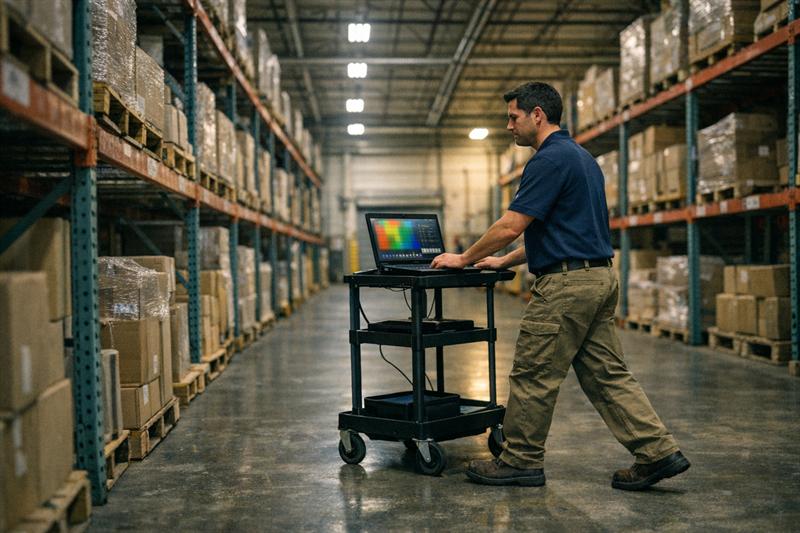
Quick Answer: Warehouse network design and office network design should not use the same assumptions because the buildings, devices, movement patterns, and performance demands are different. An office layout built around desks and meeting rooms may fall short in a warehouse, where metal racking, high ceilings, mobile scanners, loading areas, and changing inventory affect WiFi coverage and performance.
For businesses comparing warehouse network design vs. office network requirements, the design should follow how the facility operates, not just its square footage. Ascio Wireless, LLC helps businesses evaluate wireless coverage, wired infrastructure, cabling routes, device behavior, and long-term support needs before an installation becomes a recurring troubleshooting project.
Warehouse and Office Networks Support Different Ways of Working
Office and warehouse networks both need dependable connectivity, but they support different work patterns. The network design needs to reflect those patterns from the start. Problems can begin when a business extends an office WiFi layout into warehouse space without reviewing the physical environment and the devices that rely on it.
Strong enterprise WiFi design principles begin with users, applications, building conditions, and future growth. That approach is especially important when one network supports office collaboration and warehouse operations.
Office networks are typically designed around people, rooms, and collaboration
Office networks commonly support laptops, phones, printers, conference rooms, cloud applications, video calls, and guest devices. Users are often stationary at workstations or move between predictable spaces such as offices, meeting rooms, break rooms, and shared work areas.
Capacity becomes important where people gather. A meeting room with several video calls and screen-sharing sessions creates a different demand pattern than an individual office. The design should account for concentrated activity, not just signal strength across the floor plan.
Warehouse networks are often designed around movement, workflows, and physical obstacles
Warehouse networks commonly support handheld scanners, tablets, voice devices, inventory systems, shipping stations, connected equipment, and mobile workers. These devices need dependable connectivity as employees move through aisles, storage zones, staging areas, and loading docks.
A common operational issue is that a device works well near a desk or shipping station but loses stability farther into the facility. This can point to roaming, access point placement, physical obstructions, or capacity in the active work area.
Warehouse Network Design vs. Office Network Design: Side-by-Side Comparison
Warehouse network design generally requires greater attention to physical obstructions, device mobility, roaming, and supporting infrastructure. Office network design usually places more emphasis on user density, collaboration areas, and predictable room-based coverage.
Key comparison factors
- Layout: Offices usually have rooms, hallways, and lower ceilings. Warehouses often have large open areas, long aisles, high-bay ceilings, and separate operational zones.
- Obstructions: Office environments commonly include drywall, glass, furniture, and concrete. Warehouses may include metal racking, dense inventory, machinery, dock doors, and large equipment.
- Devices: Offices often rely on laptops, mobile phones, conferencing systems, and printers. Warehouses may depend on barcode scanners, handheld terminals, tablets, voice devices, and mobile operational equipment.
- Mobility: Office users move periodically. Warehouse workers and devices may need reliable wireless handoffs throughout the day.
- Performance goals: Offices typically prioritize capacity in high-use collaboration areas. Warehouses need consistent coverage, stable roaming, and dependable application access along work routes.
- Infrastructure: Both environments need adequate switching and cabling. Warehouse access point locations can create more demanding requirements for mounting, power, cable pathways, and uplinks.
- Validation: Office testing should reflect high-use rooms and business applications. Warehouse testing should reflect actual routes, aisles, loading areas, device behavior, and operational workflows.
The issue is not simply that warehouses need more access points. They need access points positioned for how people and devices move, backed by wired infrastructure that provides the power, bandwidth, and serviceability the design requires.
Why Warehouse WiFi Requires a Different Design Approach
Warehouse WiFi becomes more difficult to plan when the design stops at square footage. The physical environment affects how wireless signals travel, where devices connect, and how consistently they roam. A design that overlooks those conditions can result in dead zones, dropped scanner sessions, unreliable handoffs, and adjustments after installation.
Metal racking, inventory, and equipment can change wireless behavior
Metal structures, dense inventory, and moving equipment can affect radio frequency behavior. Signals can weaken as they pass through materials, reflect around metal surfaces, or reach a device by multiple paths. These conditions can create inconsistent performance from one aisle to the next.
A warehouse may perform well during an initial walkthrough but become less reliable after storage areas are fully stocked or rack layouts change. Materials, storage density, access point locations, and the wireless band in use all influence the result. Understanding how building materials can affect WiFi performance helps businesses avoid treating every weak-signal problem as an equipment problem.
The next step is to review the facility as it is used, not only as it appears on a construction drawing. That helps align access point locations with the spaces where devices must work.
High ceilings and long aisles affect access point placement
High-bay ceilings and long aisles change the placement strategy. Mounting access points at evenly spaced locations may look organized on a plan, but it does not guarantee reliable performance at the worker or device level.
Aisle direction, ceiling height, rack layout, mounting access, and the need for directional coverage all influence the design. Problems can develop when access points are installed only where cabling is easiest to run rather than where the network needs to perform.
There is no fixed spacing rule that works for every warehouse. A site-specific plan and post-installation validation are appropriate when coverage and roaming are important to daily operations.
Loading docks and transition zones can create difficult coverage boundaries
Loading docks, staging areas, dock doors, exterior-facing spaces, and transitions between office and warehouse zones are frequently overlooked. Yet these areas are often where workers scan inventory, update orders, communicate with teams, or move between coverage zones.
If devices disconnect near these boundaries, the effect can reach beyond one location. It can slow workflow, create manual workarounds, and make staff less willing to rely on the network. These areas should be included in the original coverage and roaming plan.
Facility changes can affect a previously working design
Warehouse conditions do not stay fixed. New racking, different inventory, equipment moves, tenant improvements, and business growth can all change how the facility uses WiFi and wired infrastructure.
This is why long-term documentation and maintenance matter. A network installed without clear equipment records, cable documentation, and support planning can become harder to adjust as the facility changes. The result can be reactive troubleshooting instead of a controlled upgrade path.
Coverage Is Not the Same as Capacity, Throughput, or Reliable Roaming
Coverage means a device can detect and connect to WiFi. Capacity means the network can support the expected number of devices and applications. Throughput reflects usable data performance, latency affects responsiveness, and roaming determines how well a device stays connected while moving between access points.
A visible WiFi icon does not prove that a scanner, voice device, tablet, or laptop will perform reliably. This distinction matters because network problems can appear after installation, when users begin moving, connecting, and competing for wireless resources.
Coverage answers whether a device can connect
Coverage is the starting point. It answers whether a device can receive an adequate wireless signal in a particular location. Coverage maps are useful, but they do not independently prove that the network can support an application under real operating conditions.
A device may connect in a warehouse aisle and still perform poorly when inventory changes, a user begins moving, or several devices become active in the same zone. If the design process stops at coverage, the business may discover performance gaps after the network is in use.
Capacity answers whether the network can support expected demand
Capacity depends on the number of connected devices, the traffic they generate, the applications they use, and how many users are active at the same time. In an office, demand may peak in conference rooms and shared workspaces. In a warehouse, demand may concentrate around receiving, shipping, packing, or high-volume inventory areas.
This issue can become more visible when a business adds devices or cloud-based workflows without reviewing the network design. Wireless capacity planning for connected devices and applications can help identify potential bottlenecks before they become routine operational concerns.
Roaming matters when devices move through the facility
Roaming is the process of a device moving from one access point to another while maintaining connectivity. It matters most when workers use scanners, voice devices, tablets, or other tools while traveling through aisles and work zones.
If a device repeatedly loses connection along a specific route, the network needs more than a general speed test. The route, access point layout, device behavior, application sensitivity, and network settings should be reviewed together. Repeated handoff failures can interrupt workflows and affect reliable data capture.
Wired Infrastructure Still Determines Wireless Network Performance
Wireless performance depends on the wired infrastructure behind it. Access points need properly planned cable runs, available power, appropriate switching, and sufficient uplinks. A strong wireless design cannot fully overcome weak cabling pathways, overloaded PoE switching, or an undersized backbone.
Access point locations need appropriate cabling and Power over Ethernet
Each access point needs a practical cable route and Power over Ethernet capability. In a warehouse, that means accounting for ceiling height, rack areas, active operations, mounting access, cable protection, and future service access.
Structured cabling should support the access point location the design requires, not force the wireless design to fit a convenient cable path. When cabling is treated as an afterthought, access points may end up in compromise locations and the network can inherit those limitations.
Switch capacity and uplinks must support the wireless design
Switches provide connectivity and, in many cases, power to access points. Port availability, PoE capacity, uplink capacity, traffic patterns, and growth plans need to be reviewed before expanding wireless coverage.
A common issue in network upgrades is that new access points are added while the supporting switch infrastructure was not planned for the additional load. This can create avoidable constraints and a second project to address needs that could have been considered during design.
Larger facilities may need fiber backbone planning
Fiber optic cabling becomes relevant when a facility has long distances, multiple network closets, separate operational zones, or larger backbone requirements. It provides a practical way to connect distributed infrastructure where copper cabling alone is not the right fit for the distance or architecture.
Fiber is not an automatic requirement for every warehouse. It should be evaluated alongside access point locations, network closets, cabling routes, switch placement, and the facility’s expansion plans.
A Practical Design Process for Warehouse, Office, and Mixed-Use Facilities
A reliable network design process starts with operations, confirms building conditions, and validates the installed network where people and devices actually work.
Step 1: Define workflows, applications, devices, and growth expectations
Start by identifying the locations, applications, and devices that matter most. This includes laptops, mobile devices, scanners, tablets, voice devices, guest users, and connected equipment where applicable.
The design should also account for expected growth. If a business plans to add users, expand storage, change workflows, or introduce new cloud applications, those changes belong in the initial planning process. Designing only for current conditions can lead to an earlier and more disruptive upgrade.
Step 2: Review the building layout, materials, and installation constraints
Review ceilings, racks, walls, dock areas, equipment locations, network closets, cable pathways, and electrical availability. These details influence where access points can be mounted, how cabling can be installed, and where coverage or roaming challenges are likely to develop.
This is where a floor plan becomes an infrastructure plan. A design that does not account for installation constraints can create delays, compromises, and change orders after work begins.
Step 3: Perform a wireless survey when site conditions require field validation
A wireless survey helps evaluate actual building conditions before access point placement and performance expectations are finalized. Predictive planning provides a starting point, while an on-site survey accounts for real materials, obstructions, operating conditions, and device movement. Post-installation validation confirms performance in the completed environment.
Ascio Wireless, LLC provides wireless surveys for businesses planning a new facility, expanding a warehouse, changing a rack layout, or investigating recurring connectivity issues. The survey process helps inform access point placement, coverage expectations, roaming conditions, capacity assumptions, and installation planning.
Step 4: Design the wireless and wired infrastructure together
Wireless access points, structured cabling, PoE switching, network closets, fiber uplinks, and network segmentation should be planned as one system. Separating these decisions can create gaps between what the wireless design needs and what the wired infrastructure supports.
The practical approach is to align access point locations with cable routes, available power, switching capacity, and future service access before installation begins. This reduces rework and gives the network a clearer path for expansion.
Step 5: Install, document, and validate against actual workflows
Installation is not the finish line. The completed network should be checked in the work areas, routes, and high-demand zones that matter to the business. A basic speed test near an access point does not validate warehouse roaming or scanner reliability through active aisles.
Documentation should also capture cable routes, access point locations, switch ports, equipment details, and network changes. Without that record, future troubleshooting can take longer and routine changes can become harder to manage.
Step 6: Maintain the network as the facility changes
Networks need ongoing attention as layouts, devices, applications, and operations change. Monitoring, technical support, on-site network support, maintenance, and refresh planning help businesses respond before small performance issues become workflow disruptions.
Businesses that wait until the network is visibly failing may face more urgent decisions and less flexibility. A documented maintenance approach gives the business a clearer view of what needs attention and why.
Common Mistakes When Applying Office Network Design to a Warehouse
Mistake 1: Designing around square footage alone
Square footage does not show rack density, ceiling height, device routes, inventory changes, or materials that affect wireless performance. Using it as the main design input can lead to coverage assumptions that break down where work actually happens.
Mistake 2: Treating access point spacing as a fixed rule
Evenly spaced access points are not automatically well-placed access points. A warehouse layout needs to account for aisle orientation, obstructions, mounting conditions, active work zones, and capacity requirements. Fixed spacing rules can create weak spots that need correction later.
Mistake 3: Measuring only coverage and not roaming or capacity
A device connecting to WiFi is not the same as a device supporting business-critical work while moving or operating under load. If scanners, voice devices, or tablets fail along specific routes, the design should be evaluated for roaming and capacity, not only signal presence.
Mistake 4: Ignoring cabling, PoE, switching, and backbone capacity
Wireless projects can underperform when the supporting wired network is not ready for them. Limited PoE, insufficient switch ports, poor cable routes, or constrained uplinks can prevent the wireless design from delivering the performance the business expects.
Mistake 5: Skipping validation after installation
Skipping validation leaves the business to discover gaps during normal operations. The network should be tested in active work areas using the routes, devices, and applications that employees depend on.
Mistake 6: Treating the installation as the end of the project
Warehouse operations change, and network conditions change with them. Without maintenance planning, documentation, and a process for addressing growth, a working installation can become a reactive support problem.
When to Involve a Wireless Network Design Partner
If recurring connection problems are affecting warehouse activity or a facility change is planned, a network design review can help clarify the next steps.
- Scanners disconnect or devices lose connection while moving through aisles.
- Dead zones appear near loading areas, high-bay spaces, dock doors, or transitions between warehouse and office areas.
- A warehouse expansion, relocation, major rack-layout change, or new operational system is planned.
- Existing cabling, PoE capacity, switch capacity, or backbone connectivity is unclear.
These signs can point to a network that needs design review rather than another quick equipment addition. Ascio Wireless, LLC can support wireless services, wireless surveys, structured and data cabling, fiber optic cabling, on-site network support, technical support, and network maintenance as part of a long-term infrastructure approach.
Key Takeaways
- Warehouse and office networks support different devices, workflows, and movement patterns.
- Metal racking, inventory, high ceilings, aisles, and loading areas change warehouse wireless design decisions.
- Coverage alone does not prove that a network has enough capacity or supports reliable roaming.
- Wireless performance depends on structured cabling, PoE, switching, uplinks, and backbone planning.
- Wireless surveys, workflow-based validation, documentation, and ongoing maintenance help prevent reactive network fixes.
Conclusion: Design for the Way the Facility Actually Operates
The real problem with applying an office network design to a warehouse is not simply weak WiFi. It is designing around a simplified floor plan instead of the materials, device movement, workflows, cabling requirements, and ongoing changes that influence daily network performance.
If those issues are not addressed during planning, the result can include recurring scanner disconnects, weak areas near active work zones, difficult troubleshooting, and infrastructure changes that cost more after installation. Ascio Wireless, LLC can help businesses planning a warehouse or mixed-use network, expanding an existing facility, or resolving performance issues that quick fixes have not solved. Start by reviewing enterprise WiFi design considerations before expanding coverage, then move forward with a wireless survey and infrastructure plan built around how the facility actually operates.
Frequently Asked Questions
What is the difference between warehouse WiFi and office WiFi?
Warehouse WiFi and office WiFi differ in the physical environment, device types, mobility requirements, and performance priorities they need to support. Offices commonly serve laptops, phones, video meetings, and collaboration tools in rooms and shared workspaces, while warehouses often depend on scanners, tablets, voice devices, long aisles, loading areas, and changing inventory.
Compare the network plan against the devices, work areas, and movement patterns that matter in the facility before copying an office-style layout into warehouse space.
Why is WiFi harder to design in a warehouse?
Warehouse WiFi is often harder to design because rack systems, inventory, high ceilings, long aisles, machinery, and loading zones change coverage, roaming, and placement decisions. These conditions affect how signals travel and where devices need dependable connectivity.
A wireless survey provides a clearer view of those conditions before access point locations, cabling, and performance expectations are finalized.
How many access points does a warehouse need?
There is no reliable universal number of access points for a warehouse. The required count and placement depend on the layout, ceiling height, materials, rack configuration, device types, workflows, capacity needs, and survey findings.
Fixed square-footage rules leave out the conditions that contribute to warehouse WiFi problems. Assess the facility and its operational requirements before approving an access point layout.
Do warehouses need a wireless site survey?
A wireless site survey is especially useful when a warehouse has complex materials, mobile workflows, recurring performance problems, a planned expansion, or devices that are critical to operations. It helps assess racks, obstructions, ceiling conditions, loading zones, access point locations, coverage expectations, and roaming conditions.
Businesses should consider a survey before a new deployment, warehouse expansion, major layout change, or corrective project for repeated connectivity issues.
Why do barcode scanners disconnect in a warehouse?
Barcode scanners can disconnect because of coverage gaps, poor roaming behavior, access point placement, changing obstructions, device configuration, application requirements, or network capacity. A scanner may work in one location but struggle when it moves between access points or enters an aisle affected by racking and inventory.
Testing the actual routes, devices, and applications involved helps identify where the problem develops and what the network needs next.
Does warehouse WiFi need fiber optic cabling?
Warehouse WiFi does not always require fiber optic cabling, but fiber can be the right choice for larger facilities, long distances, multiple network closets, separate operational zones, or greater backbone requirements. It should be evaluated with access point placement, structured cabling pathways, switch locations, uplinks, and expansion plans.
Ascio Wireless, LLC can assess whether fiber belongs in the infrastructure plan so the business can avoid outgrowing its backbone after the wireless deployment is complete.