 Follow us on Facebook
Quick Answer: A business network installation usually follows a structured process: assessment, design, physical installation, configuration, testing, and handoff. When one of those steps is rushed or skipped, performance issues, instability, and avoidable rework are much more likely.
Why Understanding the Network Installation Process Matters
Many businesses are asked to approve network projects without a clear picture of how the work is actually done. That lack of visibility is often where problems start. When installation is treated like a quick setup instead of a structured process, issues tend to surface later as slow performance, unreliable connections, or inconsistent coverage.
A network can appear functional at first, but weaknesses often show up over time when key steps were compressed or overlooked. Installation is not just about getting equipment online. It directly affects how the network performs under real-world use.
At Ascio Wireless, LLC, network installations are approached as infrastructure decisions that should support the business well beyond day one. The focus is on building systems that stay stable and predictable as demands change.
Phase 1: Pre-Installation Planning and Network Assessment
This phase sets the direction for everything that follows. It identifies requirements, constraints, and potential trouble spots before any equipment is installed.
A proper network assessment process looks at both wireless behavior and physical infrastructure. The goal is to understand how the environment actually performs, not just what equipment might be needed.
- Reviewing existing infrastructure and known limitations
- Identifying interference sources and building materials that affect signal behavior
- Mapping coverage and capacity requirements
- Planning around business operations and downtime constraints
This is where many projects begin to drift off course. When assessment is skipped or rushed, the design is based on assumptions instead of actual conditions. That often leads to coverage gaps, weak performance, and changes after deployment that could have been avoided.
Site Surveys and Infrastructure Evaluation
This step may include wireless surveys, physical walkthroughs, and a review of existing cabling or equipment locations. Signal behavior, wall density, and building layout all affect performance. Dense materials like concrete, glass, and metal can weaken signals and create dead zones, as explained in how building materials impact WiFi performance.
Wrong assumptions at this stage often lead to poor access point placement. Once hardware is installed, those placement issues are usually more disruptive and more expensive to correct.
Identifying Capacity, Coverage, and Constraints
Coverage alone is not enough. The network also has to support the number of devices, the type of traffic, and the level of activity expected during busy periods.
One common issue is underestimating capacity. The network may seem fine at first, then slow down as more users and devices come online. That is often when complaints about performance begin.
Aligning Installation with Business Operations
Installation should align with how the business operates. That includes scheduling work to limit disruption and coordinating with internal teams, vendors, or other trades when needed.
Without that alignment, installations can interrupt operations and force last-minute decisions that increase the chance of mistakes.
Phase 2: Design and Preparation
This phase turns assessment findings into a clear plan. Decisions made here affect performance, scalability, and how easy the network will be to support later.
Design is not just about selecting hardware. It includes equipment placement, cabling paths, power considerations, and room to grow. Practical tradeoffs are made between cost, performance, and long-term usability.
Structured cabling is a major part of this phase. Early decisions influence how easily the network can be expanded or upgraded later. See structured cabling design best practices for more on how these choices affect long-term infrastructure.
Network Layout and Hardware Selection
Hardware should be selected based on actual requirements, not guesswork. Placement is planned to support consistent coverage without creating unnecessary overlap or leaving weak areas behind.
Overbuilding in some areas and underbuilding in others is a common planning problem. It usually leads to uneven performance and unnecessary cost.
Structured Cabling Planning
Cabling decisions affect speed, reliability, and scalability. Poor routing, bad terminations, or low-quality installation can create bottlenecks that are difficult to track down later.
These problems often become more noticeable as the network grows and demand increases.
Scheduling and Minimizing Disruption
Installations are often planned in phases to reduce downtime. In many cases, equipment is pre-configured before it arrives on-site to make deployment more efficient.
Without that level of preparation, projects tend to take longer and create more disruption than necessary.
Phase 3: On-Site Installation (What Actually Happens)
This is where planning turns into execution. The quality of work in this phase has a direct effect on reliability, serviceability, and how cleanly the system comes together.
Installation is not a single task. It usually involves coordinated work across cabling, hardware setup, labeling, mounting, and integration with existing systems.
Running and Terminating Cables
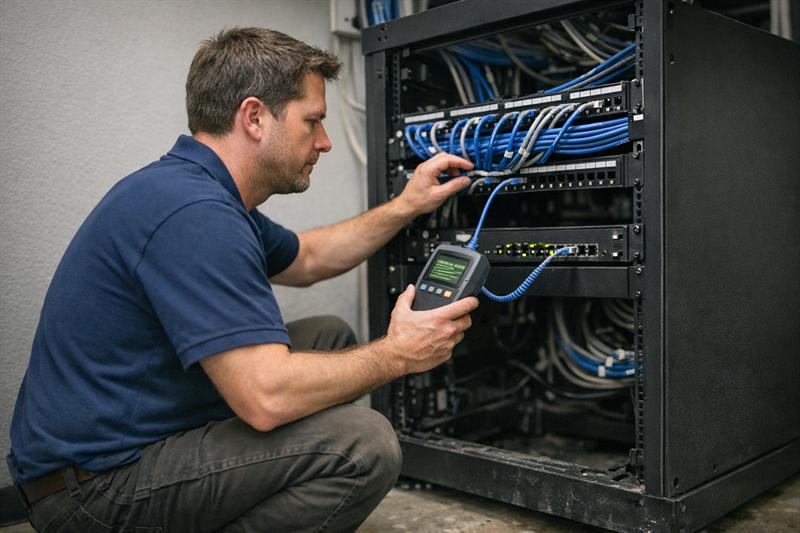
Cables are routed, terminated, labeled, and tested. Clean, organized cabling makes future troubleshooting faster and supports long-term reliability.
When cabling is poorly labeled or disorganized, later changes take longer and downtime is more likely during maintenance or troubleshooting.
Installing Racks, Switches, and Access Points
Equipment is mounted, powered, and connected according to the design. Placement is especially important for wireless access points, since even small positioning changes can affect coverage and signal quality.
Improper placement is a frequent cause of weak or inconsistent wireless performance. See access point placement best practices for how placement decisions affect coverage.
Coordinating with Existing Systems
New infrastructure has to work with the systems already in place. That may include existing internet connections, firewall hardware, switches, VoIP equipment, cameras, or other connected systems.
If that coordination is not handled carefully, temporary outages or conflicts can occur during installation.
Phase 4: Configuration and System Integration
After the physical installation is complete, the network is configured to operate as a system. This is where installed hardware becomes a working business network.
Network Configuration and Segmentation
Traffic is organized and segmented to support performance, management, and appropriate access between users and systems. Without solid configuration, networks become harder to manage and more vulnerable to congestion or unnecessary complexity.
In many underperforming environments, problems begin here rather than with the hardware itself.
Wireless Setup and Optimization
Wireless settings are adjusted for the environment. This can include channel planning, transmit power adjustments, and tuning based on nearby interference or density.
If this step is handled poorly, users may experience dropped connections, roaming problems, or inconsistent speeds.
Security and Access Controls
Access controls are configured around business needs, user roles, and the types of devices connecting to the network.
Weak setup at this stage can create avoidable security exposure and make future management more difficult.
Phase 5: Testing, Validation, and Optimization
This phase confirms whether the network is performing as intended. It is one of the most important steps in the process and one of the easiest to shorten when timelines get tight.
- Performance testing, including speed and latency checks
- Coverage validation
- Wireless signal verification
- Identification and correction of installation or configuration issues
When testing is limited, issues tend to carry into live use. That usually leads to reactive troubleshooting instead of a smoother handoff.
Performance Testing and Signal Validation
Testing helps confirm that coverage and performance align with the design. Weak areas, interference, or configuration problems can then be adjusted before the network is fully handed over.
Identifying and Fixing Issues
Common findings include interference, configuration errors, labeling problems, and placement issues. Catching them before handoff reduces the chance that users will be the first to discover them.
Ensuring Stability Before Handoff
The goal is a network that operates reliably under normal business use. If instability is already present at this stage, it usually becomes more obvious once the environment is fully active.
If any of the following sound familiar, the installation process may need closer review:
- WiFi works in some areas but drops in others
- The network slows down during peak usage
- Cabling is disorganized or undocumented
- Frequent troubleshooting is already required
These signs often point back to earlier installation steps that were incomplete, rushed, or not fully validated.
Phase 6: Documentation, Handoff, and Ongoing Support
Installation does not end when the network goes live. Documentation and post-installation support play a major role in how well the system can be maintained, expanded, and troubleshot over time.
A structured network installation checklist can help confirm that important steps are completed before handoff.
Network Documentation and Diagrams
Documentation may include layouts, cable labeling, hardware locations, and configuration details. Without it, troubleshooting becomes slower and future changes become less predictable.
Staff Handoff and Training
Internal teams are typically shown how to handle basic tasks, where key equipment is located, and when to escalate issues.
Maintenance and Long-Term Performance
Networks need periodic monitoring, updates, and review as business needs change. Without that attention, performance and reliability often become harder to maintain over time.
Common Challenges During Network Installation (and How They’re Prevented)
- Poor planning: can lead to redesign, delays, and unnecessary changes
- Cabling mistakes: can create long-term performance limitations and troubleshooting headaches
- Misconfiguration: can result in instability or unnecessary security exposure
- Interference issues: can cause inconsistent wireless performance
- Rushed testing: can allow correctable problems into the live environment
These problems usually start during installation and become harder to resolve once the network is already in use.
How Long a Business Network Installation Typically Takes
Timelines depend on the size, layout, and complexity of the environment.
- Small offices: a few days
- Mid-size environments: one to two weeks
- Large or multi-site deployments: several weeks
Rushing the process often leads to rework, which can extend timelines and increase overall cost.
Key Takeaways
- Network installation is a structured, multi-phase process
- Many performance issues trace back to planning, design, or testing decisions
- Physical installation and configuration need to work together
- Long-term reliability is shaped during installation, not after problems appear
Conclusion
A network installation affects how a business operates day to day. When planning, design, or testing are rushed, problems rarely stay contained. They tend to show up later as instability, downtime, and ongoing support issues.
The pattern is straightforward. Weak planning creates design gaps, and those gaps often carry into installation and become harder to fix once the network is in use.
Ascio Wireless, LLC focuses on building networks that perform reliably from the start through careful assessment, clean installation, and validation before handoff.
If the goal is a network that supports the business without constant troubleshooting, installation needs to be treated as a structured process rather than a quick setup. Working with a team that plans for long-term performance can help prevent many of the issues outlined above.
Frequently Asked Questions
What is the network installation process for a business?
It is a structured sequence that typically includes assessment, design, installation, configuration, testing, and handoff. Each phase builds on the previous one to support performance and reliability. Starting with a proper assessment helps reduce avoidable issues later.
How long does it take to install a business network?
It depends on the size and complexity of the environment. Smaller setups may take days, while larger deployments can take weeks because of cabling, coordination, and configuration work. A clear plan helps reduce delays and rework.
What equipment is needed for network installation?
Typical components include switches, routers or firewalls, wireless access points, racks, and structured cabling. The exact setup depends on coverage, capacity, and performance requirements. Proper design helps make sure the equipment fits the environment from the beginning.
What are the risks of poor network installation?
Poor installation can lead to slow performance, instability, connectivity problems, and difficult troubleshooting later. Issues such as cabling errors, poor placement, or weak configuration often become obvious only after deployment. Thorough testing helps reduce those risks.
Do businesses need both wired and wireless networks?
Most environments benefit from both. Wired connections support stability and fixed devices, while wireless supports mobility and flexible use of space. A balanced design helps maintain consistent performance across different use cases.
What happens after network installation is complete?
After installation, the network is typically tested, documented, and handed off with guidance for ongoing support. Good documentation and validation make the system easier to maintain, troubleshoot, and expand over time.