 Follow us on Facebook
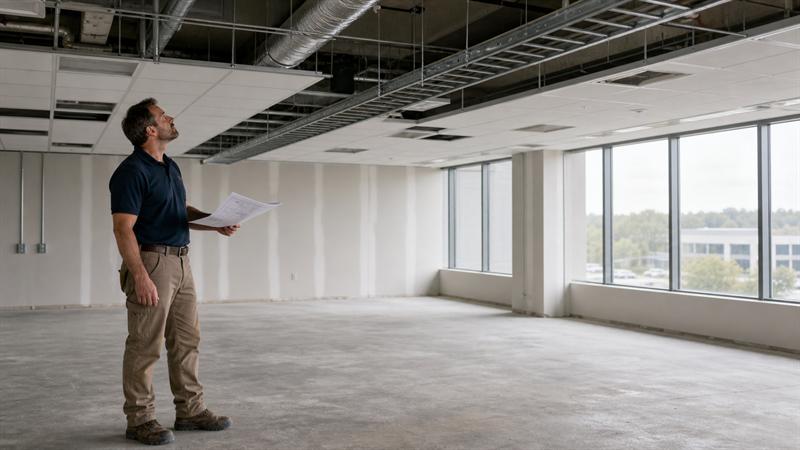
A new office, renovation, expansion, or network upgrade often starts with a simple question: where are connections needed? The more important questions are behind the walls and above the ceilings: how cables will be routed, what systems they will support, and how the business will identify and maintain them later.
At Ascio Wireless, LLC, structured cabling is approached as long-term network infrastructure, not a one-time cable-pulling task. This guide explains what to consider before work begins, what a complete scope should cover, and what should be delivered at project closeout.
Why Structured Cabling Installation Is More Than Running Cable
Structured cabling provides the physical connection layer for more than employee computers. It can support wireless access points, VoIP phones, cameras, printers, AV systems, access control devices, network switches, and other connected equipment.
The difference between a short-term installation and a system built for ongoing use becomes clear when something changes. A cable run that works today but is not labeled, tested, documented, or routed through a manageable pathway can create problems when equipment moves, a port fails, or the business expands.
What does a structured cabling installation include?
- Planning device locations, cable pathways, and telecommunications spaces
- Selecting copper, fiber, or other cabling for the intended use
- Installing and terminating cable runs
- Organizing network racks, patch panels, and cable management
- Labeling outlets, cables, and ports consistently
- Testing installed links and delivering usable closeout documentation
The visible parts of a project often get the most attention: new outlets, clean wall plates, and active network connections. Support issues tend to appear later, when no one can quickly trace a port to a patch panel, identify what a cable supports, or make a change without affecting nearby connections.
For a closer look at the planning principles behind an organized system, review structured cabling design best practices for commercial buildings.
Start With a Site Review and Network Needs Assessment
A site review and network needs assessment help define what the cabling system must support now and what it should accommodate next. Starting with cable quantities instead of business requirements can produce a narrow scope that overlooks wireless, security, voice, network room, and expansion needs.
Map Users, Devices, and Business-Critical Systems
Start with current workstation locations and expected changes to staffing, room use, and equipment placement. Include conference rooms, reception areas, shared workspaces, warehouse zones, production areas, training spaces, and any location where employees or connected equipment need dependable access.
Document devices that need a network connection or power through Ethernet. This includes wireless access points, IP phones, cameras, printers, access control devices, and AV equipment. Critical systems should be identified separately from convenience connections because losing access to a camera, phone system, or wireless access point can affect operations differently than losing a single desk connection.
Review Existing Infrastructure and Building Constraints
A floor plan is useful, but it does not confirm whether a cable route is practical. The site review should account for existing cabling, ceiling access, conduit, cable trays, network closets, rack space, power availability, building restrictions, and approved work hours.
Older or occupied buildings often introduce constraints that are not obvious on a drawing. A proposed route may cross an inaccessible ceiling, a crowded pathway, a finished space with restricted access, or a closet with no room for additional patch panels and cable management. Identifying those conditions before work begins helps avoid reactive decisions during installation.
Plan for Reasonable Future Growth
Future-ready planning does not mean installing the most expensive option everywhere. It means accounting for changes the business can reasonably expect, such as more employees, additional wireless access points, new equipment, reconfigured rooms, or expansion into another area of the building.
If a business is already adding workstations, running out of ports, or planning a more connected workspace, the infrastructure should be considered as a system rather than expanded one cable at a time. Growth can be accommodated deliberately without overbuilding.
What should be assessed before structured cabling installation?
- Current and planned users, work areas, and connected devices
- Network closet, rack, patch-panel, and power capacity
- Available cable pathways, conduit, trays, and ceiling access
- Wireless, voice, security, AV, and specialty system requirements
- Building limitations, project timing, and coordination with other trades
- Known future growth, renovations, or equipment changes
Define the Installation Scope Before Requesting Quotes
A structured cabling scope should define the system the business needs, not just the number of cable runs. A low initial price can look attractive when the scope lists only outlets and cable quantities, but missing work can reappear as change requests, delayed decisions, unclear handoff requirements, or infrastructure that is harder to maintain.
Clarify the Types of Cabling in the Project
Most projects include horizontal cabling, which connects telecommunications rooms to work areas and endpoint devices. They may also include backbone cabling, which connects equipment rooms, telecommunications rooms, floors, or separate building areas.
The scope should also identify related requirements, such as fiber optic cabling, voice cabling, coaxial cable installation, and other low-voltage systems. These systems should not be treated as unrelated add-ons when they share pathways, network spaces, equipment, or installation timing.
Define Locations, Pathways, and Telecommunications Spaces
A complete scope identifies outlet and device locations, cable pathways, network closets, rack requirements, patch panels, and access requirements. It should account for how cables will reach the destination, how they will be supported, and how future technicians will access the infrastructure.
Requirements for separation from electrical systems, penetrations, firestopping, grounding, and bonding depend on the building, system design, project specifications, and applicable requirements. These details belong in the planning stage because they affect routing, materials, scheduling, and closeout.
Coordinate the Work With Facilities, Construction, and IT
Cabling installation is rarely isolated from other work. Ceiling installation, electrical work, drywall, furniture placement, switch deployment, access point installation, and occupancy schedules all affect when and how cabling should be completed.
When coordination is missing, cabling can be installed around incomplete construction, pathways can become blocked, or equipment can arrive before the supporting connections are ready. The project may look complete in one area while still failing to support operations as intended.
What should be included in a structured cabling scope of work?
- Locations and quantities for outlets, devices, and network spaces
- Horizontal, backbone, fiber, voice, coaxial, and specialty cabling needs
- Pathways, access conditions, rack requirements, and patch-panel requirements
- Coordination requirements with construction, electrical, facilities, and IT teams
- Labeling standards, test expectations, and closeout documentation
For a broader project-readiness resource, see this commercial network installation checklist for new offices.
Choose Copper, Fiber, and Other Cabling Based on the Use Case
Copper and fiber serve different roles in business networks. The practical choice depends on the connection’s distance, required capacity, endpoint equipment, power needs, building environment, and expected growth. Neither option is automatically right for every cable run.
When Copper Data Cabling May Be Appropriate
Copper data cabling is commonly used for work-area connections and powered devices. Desktops, phones, printers, cameras, and many wireless access points are typical examples. Cat6 and Cat6A are common cable categories businesses encounter during planning, but the right category depends on the intended application and installed system requirements.
Power delivery matters when a cable will support devices such as access points, cameras, or phones. Each run should be planned around the equipment it will serve, not simply around the nearest available route. This becomes especially important when new wireless equipment is added after the original office layout was built.
When Fiber Optic Cabling May Be a Better Fit
Fiber optic cabling is often considered for longer distances, higher-capacity links, and backbone connections between equipment rooms, floors, or building areas. It is commonly used where copper distance limits or future capacity needs make a fiber backbone more practical.
The fiber design should reflect the distance involved, network equipment, current use, expected growth, and physical environment. Installing fiber without planning the related equipment, termination points, and documentation can create long-term support issues.
Account for Wireless, Voice, Security, and Specialty Systems
Wireless performance depends in part on the wired infrastructure behind it. Access points require planned locations, wired uplinks, power considerations, switching capacity, and cable routes that reach the locations identified in the wireless design.
A common upgrade issue is that wireless expectations increase, but the existing cabling was never planned around access point placement or power needs. Access points may then be placed where cabling is available instead of where coverage and capacity require them. That can contribute to uneven service and may require additional infrastructure work later.
For a more detailed comparison, read how fiber and copper cabling differ for business networks.
Fiber vs. copper: which is better for business cabling? Neither is universally better. Copper is commonly practical for many work-area and powered-device connections, while fiber is often the better fit for long-distance or higher-capacity backbone links. Distance, bandwidth, power, environment, equipment, and future growth determine the right choice.
What a Structured Cabling Installation Process Should Include
A well-managed installation process turns the approved scope into an organized, testable physical system. The work should follow a defined sequence so building conditions, cable routing, termination, labeling, and validation remain aligned from start to finish.
Prepare the Site and Confirm the Installation Plan
Before installation starts, work areas, pathway access, device locations, cable routes, network room requirements, and safety procedures should be confirmed. This is also the time to coordinate work in occupied spaces so employees, customers, and daily operations are not unnecessarily disrupted.
Changes found during the walkthrough should be documented and addressed before installers make field decisions. Unapproved routing changes can lead to inconsistent labeling, difficult cable access, and documentation that no longer matches the installed system.
Install and Support Cables Correctly
Cables should be routed and supported in a manner appropriate for the installed system and project requirements. They need protection from unnecessary stress, sharp turns, unsupported spans, and improvised routing that makes future access difficult.
Details such as bend radius and pulling tension are not cosmetic concerns. When cabling is handled without regard for the selected product requirements, performance and serviceability issues can become harder to identify after ceilings are closed and equipment is live.
Manage Separation, Penetrations, and Building Requirements
Structured cabling must be coordinated with electrical infrastructure and other building systems. Pathway penetrations, fire-rated assemblies, electrical separation, grounding, and bonding should be addressed according to building conditions, project specifications, and applicable requirements.
This work should not be treated as an afterthought. When routing decisions are made after other trades have finished, available options become more limited, the installation becomes less organized, and the project may require rework.
Terminate, Organize, and Label the System
Termination, patch-panel organization, rack layout, and cable management influence whether the system remains usable after installation. Labels should create a clear relationship between the wall outlet or device, the cable run, the patch panel, and the project documentation.
Labels are sometimes added at the end of a project, after field changes have already occurred. That can create gaps between the physical installation and the records. Consistent labeling during installation helps prevent that disconnect and supports faster, more accurate troubleshooting.
What are the steps in structured cabling installation?
- Confirm the site, scope, routes, work areas, and equipment spaces.
- Prepare pathways and coordinate access with building and project teams.
- Install and support cabling according to the planned system and product requirements.
- Terminate runs at outlets, patch panels, racks, and designated network spaces.
- Label connections consistently across cables, ports, and documentation.
- Test the installed links and complete project closeout records.
Testing, Documentation, and Project Closeout Are Part of the Installation
Installed cabling is not fully ready for operations until it has been tested and documented. A connection that appears active is not the same as a connection that has been validated for its intended use and recorded in a way future support teams can understand.
Test the Installed Cabling Before Handover
Testing should be built into the installation process rather than saved as a final formality. The appropriate method and records depend on the cabling system, equipment, and project specifications, but the purpose remains the same: confirm that installed links support the system they were designed to serve.
Without test records, later troubleshooting starts with uncertainty. Staff may know a device is not working, but they may not be able to quickly determine whether the issue involves the cable run, termination, patching, switch port, endpoint, or another part of the network.
Request Documentation That Supports Future Operations
Project closeout should provide documentation that connects the physical system to the network’s daily operation. Useful records include cable labels, test results, port maps, patch-panel records, rack layouts, cable schedules, and updated as-built drawings where applicable.
Documentation should match the installed environment. A spreadsheet that lists ports but does not correspond to labels in the closet or at the outlet can still leave technicians tracing cables manually during a problem.
Use Closeout Information as a Maintenance Baseline
Documentation is part of the infrastructure. It gives internal teams and support providers a baseline for maintenance, equipment replacement, troubleshooting, office changes, and expansion work.
Its value declines when records are not updated after the original installation. Each move, addition, or repair can create another undocumented change. Over time, even a well-installed network room can become difficult to manage.
These conditions may indicate that the cabling environment needs attention:
- Network closets contain cables or ports that no one can identify.
- New devices are being connected through temporary or improvised cable routes.
- Wireless access points, cameras, or phones were installed wherever an existing cable happened to be available.
- There are no current test records, port maps, or drawings for the installed cabling.
These signs can indicate infrastructure that is becoming harder to support. Before adding more complexity, it is useful to document the current cabling, pathways, network spaces, and future requirements.
Questions to Ask Before Hiring a Structured Cabling Installer
The right installer should be able to explain how the project will be planned, validated, and handed over. The goal is not to collect generic assurances. It is to understand what will be installed, how it will be tested, and how the system will remain manageable afterward.
Questions About Scope and Site Validation
- How will existing site conditions be reviewed before work begins?
- What is included in the scope beyond the number of cable runs?
- How will pathways, racks, closets, access limitations, and work schedules be addressed?
These questions help determine whether the scope is based on the actual building or only on a preliminary cable count. If an installer cannot explain how field conditions will be validated, the business may face important decisions after the project has already started.
Questions About Quality Control and Closeout
- How will cables be labeled, and how will labels connect to the documentation?
- What testing will be performed, and what records will be delivered?
- What port maps, rack records, and as-built information will be included at handoff?
These questions define what the business will have after the physical work is complete. Without a clear answer, the project can end with functional cables but no practical maintenance baseline.
Questions About Long-Term Infrastructure Needs
- How will the system accommodate planned growth or changing workspace needs?
- Can the project coordinate data cabling, fiber, wireless access points, networking equipment, and ongoing support needs?
- How will future moves, additions, repairs, and maintenance be handled?
Price matters, but it does not show whether the system is ready for the next business change. A lower quote that omits testing, documentation, pathway planning, or coordination can shift those costs and decisions into the future.
Structured Cabling Installation Checklist for Businesses
Use this checklist to keep the installation focused on long-term network operations, not only the immediate construction task.
Before Installation
- Confirm business requirements, room layouts, workstations, device locations, and critical systems.
- Review cable pathways, ceiling access, conduit, trays, network closets, rack capacity, and power needs.
- Identify copper, fiber, voice, coaxial, wireless, security, and specialty system requirements.
- Coordinate timing with facilities, construction, electrical, furniture, and IT teams.
- Document realistic future growth requirements without overbuilding the project.
During Installation
- Confirm routing, cable support, safe site access, and pathway conditions.
- Track approved changes when field conditions differ from the original scope.
- Maintain consistent labels at outlets, cable runs, patch panels, and racks.
- Keep network spaces organized as new cables and equipment are added.
Before Project Closeout
- Confirm installed cabling has been tested for the intended system requirements.
- Receive test records, labels, port maps, patch-panel records, rack layouts, and updated drawings where applicable.
- Verify that documentation matches the physical installation.
- Ensure the internal team or ongoing support provider knows where project records are stored.
Key Takeaways
- Structured cabling should be planned around current operations, building conditions, and realistic future requirements.
- A complete scope includes pathways, network spaces, cable types, labeling, testing, and documentation, not only outlet counts.
- Copper and fiber should be selected for the specific connection, based on distance, capacity, power, equipment, and growth needs.
- Testing and closeout documentation help prevent future support work from becoming a guessing process.
- Businesses should evaluate installers on site validation, scope clarity, coordination, testing, documentation, and long-term maintainability, not price alone.
Plan a Cabling System That Is Ready for What Comes Next
The central issue with poorly planned structured cabling is not that every connection fails immediately. Later moves, device additions, wireless upgrades, troubleshooting requests, and office changes can become harder because the infrastructure was not designed to be understood and maintained over time.
Ascio Wireless, LLC helps businesses plan structured cabling, data cabling, fiber optic cabling, networking, wireless infrastructure, and onsite support as connected parts of one long-term system. For a buildout, relocation, expansion, legacy cabling upgrade, or wireless deployment, addressing the cabling plan early can help prevent the next network project from starting with unclear pathways, unknown ports, and missing records.
For continued planning guidance, review network documentation best practices for long-term maintainability.
Frequently Asked Questions
What is included in a structured cabling installation?
A structured cabling installation typically includes planning cable pathways, selecting cabling media, installing and terminating cable runs, organizing racks and patch panels, labeling ports, testing links, and delivering project documentation. The exact scope depends on the building, network design, device types, and whether the project includes work-area cabling, fiber backbones, voice, wireless access point connections, or other low-voltage systems.
Cable drops alone do not define the full project. A complete installation also accounts for how cables reach the destination, how they are identified, how they are tested, and how the business will support them later.
How do businesses prepare for a structured cabling installation?
Businesses prepare by documenting users, device locations, critical systems, room layouts, network spaces, pathways, building restrictions, work schedules, and expected growth. A site walkthrough should confirm whether planned cable routes, ceiling access, rack space, and equipment rooms can support the proposed design.
Preparation is not only an IT responsibility. Facilities, construction, security, wireless, and operations requirements can change the scope. A floor plan may show where an access point or workstation belongs, but the site review helps determine whether that location can be served cleanly and reliably.
Should a business use Cat6, Cat6A, or fiber optic cabling?
The right option depends on the connection’s purpose. Copper cabling is commonly used for work-area connections and powered devices, while fiber is often used for longer distances, higher-capacity connections, and network backbones between equipment spaces.
The decision changes based on distance, required capacity, power delivery needs, installed environment, network equipment, and future growth. A wireless access point, desktop workstation, network closet, and connection between buildings do not necessarily need the same cabling approach.
What testing should be done after structured cabling installation?
Installed cabling should be tested according to the intended system requirements and project specifications before handoff. The business should receive test records that correspond to cable labels and ports, so each documented result can be traced to the physical connection.
A device connecting successfully is not the same as documented validation of the installed link. Testing verifies the infrastructure, while the records make those results useful when a cable must be traced, serviced, moved, or replaced.
What documentation should a structured cabling installer provide?
Closeout documentation may include cable labels, test results, port maps, patch-panel records, rack layouts, cable schedules, and updated as-built drawings where applicable. These records should connect each outlet or device location to the cable run, patch panel, and relevant network space.
This information is not simply administrative paperwork. It can become the reference point for troubleshooting, network maintenance, equipment replacement, office reconfiguration, and future expansion.
How can structured cabling support better wireless coverage?
Structured cabling supports wireless infrastructure by providing wired uplinks, planned access point locations, and power-ready connections needed for the wireless design. It does not determine wireless coverage by itself, but it provides the physical network connection that access points require.
When access point cabling is installed only where an existing cable is convenient, wireless placement can become constrained by the old infrastructure. A wireless survey and cabling plan should work together so access point locations are based on coverage and capacity needs rather than cable availability alone.