 Follow us on Facebook
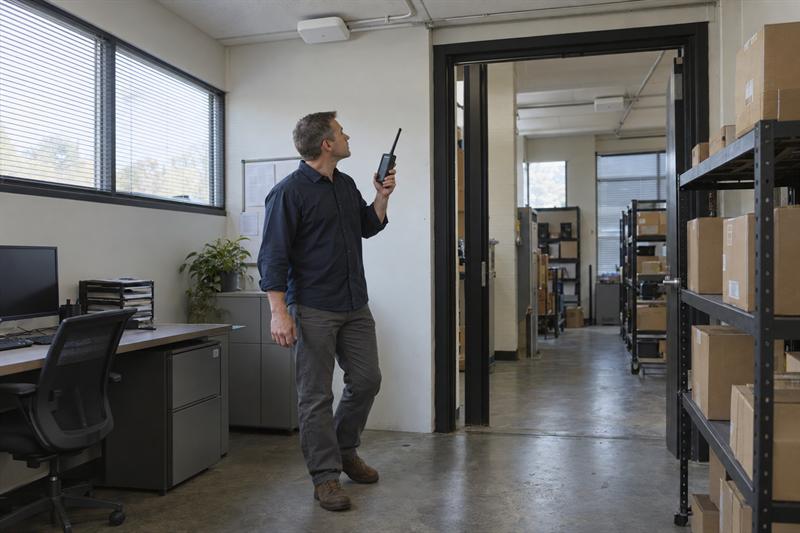
At Ascio Wireless, LLC, this problem often shows up in networks that seem fine when people stay in one place but become unreliable once they start moving. That distinction matters because roaming issues are not just “bad WiFi.” They are handoff problems between access points, and they can lead to dropped calls, frozen apps, and inconsistent device behavior until the wireless design is examined more closely.
What business WiFi roaming problems actually look like
Business WiFi roaming problems happen when a device moves from one access point to another and the handoff does not happen quickly or cleanly enough to keep the session stable. The network may still look acceptable on a basic coverage check, but the user experience can break down during movement.
This is where the problem often gets misread. A team sees disconnects and assumes the building has weak WiFi, when the real issue is that the network is not handling transitions well between coverage areas.
Common symptoms while moving through a building
- VoIP or WiFi calling drops while walking between rooms or work areas
- Tablets or laptops pause during active sessions while users move
- Scanners or handheld devices stop updating in aisle transitions or doorways
- Devices disconnect briefly between access points, then reconnect
- Users move into a stronger coverage area, but the device stays attached to a weaker AP too long
A common pattern is that the same route causes the same problem repeatedly. Hallway intersections, room thresholds, aisle ends, and areas with dense materials are often where roaming failures first become obvious.
How roaming problems differ from general weak WiFi
Weak WiFi usually affects users in a fixed location. Roaming problems usually show up during movement. That distinction is one of the fastest ways to separate a handoff issue from a coverage problem.
A device can still show decent signal and perform badly if it is attached to the wrong AP. Desk-based tests also miss this problem in many cases, which is why a broader business WiFi troubleshooting process needs to be narrowed down when symptoms only appear in motion.
Why devices do not always switch cleanly between access points
Roaming problems usually come from more than one factor. Client behavior, AP layout, RF settings, and the physical environment all affect whether a device transitions smoothly or holds onto the wrong connection.
This is also where quick fixes go wrong. Raising power, adding another AP, or moving hardware without understanding the transition path can make the problem harder to diagnose and harder to fix.
Sticky clients and client-driven roaming behavior
A sticky client is a device that stays connected to one AP longer than it should, even after moving into the range of a better one. This often leads to poor app response, call instability, and delays before the device finally roams.
This often shows up with scanners, voice handsets, and older mobile devices. A laptop sitting in one place may look normal, while a handheld moving through the same space reveals the issue much more clearly. That is why roaming has to be tested with the devices that actually support the workflow.
Poor AP overlap, excessive overlap, and bad handoff zones
Too little overlap creates weak transition zones where the device loses signal before the next AP becomes usable. Too much overlap can also cause trouble, especially when the RF design is uneven and the client sees several APs competing for attention.
A common pattern is that businesses keep adding APs to fix isolated complaints. That can create messy handoff zones, more contention, and less predictable roaming. Clean roaming depends on the right overlap, not the most overlap. That is why access point placement matters just as much as AP count.
Channel, power, and interference issues
Power imbalance between access points can distort roaming behavior. If one AP is reaching too far or another is too weak, the device may hold on too long or jump inconsistently between cells.
Interference and poor channel planning can make this worse by degrading connection quality before and during the handoff. That can lead to dropped voice sessions, stalled data, and devices that look connected but perform badly. More signal does not solve that problem if the RF environment is noisy or uneven.
Authentication and network design factors
Some roaming problems come from the way the network is designed, not just from coverage shape. Security handshakes, SSID design, and policy settings all affect how quickly a device can re-establish a stable session during movement.
This usually becomes more noticeable when the application is time-sensitive. Voice handsets and scanners are less forgiving than email or casual web browsing, so design flaws tend to show up faster in those workflows.
How to tell whether the problem is roaming, coverage, or capacity
If the diagnosis is wrong, the fix is wrong. Roaming, coverage, and capacity issues can feel similar to users, but they develop differently and need different responses.
If users only complain while moving, that usually points toward roaming. If the same spot fails even when users stand still, that usually points toward coverage. If performance slows during busy periods across a wider area, that usually points toward capacity. For a broader comparison, see WiFi coverage vs. capacity.
Signs of a coverage gap
A coverage gap shows up in a repeatable location. Users lose signal or experience the same instability in the same place, even without moving.
This usually happens because the AP is too far away, the layout blocks the signal, or building materials reduce usable coverage. If ignored, the gap can turn into a persistent trouble spot and users start working around it instead of relying on the network.
Signs of a capacity problem
A capacity problem shows up when too many users or devices share the same wireless resources. Performance drops even when users stay still, and the slowdown usually gets worse during busy hours or heavier workflows.
This is where businesses misread density as coverage. The signal may be present, but the network is overloaded. That leads to delays, retries, and unstable performance that feels random until usage patterns are compared.
Signs the client is holding onto the wrong AP
If the device remains connected but performs poorly until it finally switches, that usually means it is attached to the wrong AP. Users often notice this while walking a route, pushing a cart, or crossing from one work zone to another.
A common sign is recovery after the user pauses, reconnects, or moves farther into the next area. That pattern points to a transition problem, not a complete lack of coverage.
If you are seeing these signs, the issue usually needs more than a simple settings change.
- Drops happen in the same doorways, aisles, or hallway transitions
- Calls fail while moving, but desk-based tests look normal
- Scanners, tablets, or voice devices struggle more than laptops
- Adding APs or increasing power did not stop the problem
When these indicators line up, the network usually needs a roaming-focused review of placement, RF behavior, and movement-path testing.
A practical process to investigate business WiFi roaming problems
The most reliable way to troubleshoot roaming is to follow the path where the failure happens. Static tests and general health checks still help, but they do not show how the device behaves as it moves through handoff zones.
At Ascio Wireless, LLC, this is where troubleshooting becomes more precise. The goal is to isolate the transition failure itself, not just confirm that the network has signal somewhere nearby.
Step 1: Document where and when drops happen
Start with the exact route. Note the doorways, rooms, hall intersections, aisles, or floor areas where the issue appears. Roaming problems are often repeatable, and repeatability makes them easier to diagnose.
This is where businesses save time by being specific. “The WiFi drops sometimes” is hard to investigate. “The scanner freezes every time it moves from one area to another” is much easier to test and confirm.
Step 2: Identify device types and affected applications
Separate phones, laptops, scanners, tablets, and specialty devices. Then identify which applications fail during movement. Voice, video, inventory, and live cloud sessions expose roaming problems in different ways.
This matters because not all clients roam the same way. A common mistake is validating the network with a laptop, then assuming the scanners or voice devices should behave the same way. They usually do not.
Step 3: Review AP placement and signal transitions
Check whether the AP layout supports movement paths, not just stationary work areas. Look for abrupt signal changes, long gaps between usable cells, or areas where multiple APs overlap too heavily.
This is where physical layout starts shaping outcomes. Walls, racks, ceiling structure, and renovations all affect the transition path. In older spaces especially, the building itself can disrupt roaming in ways that look random at first. More on that is covered in how building materials impact WiFi performance.
Step 4: Check RF settings, channel plan, and power levels
Look for uneven power levels, congested channels, and poorly matched RF settings between adjacent APs. These conditions often lead to delayed roaming decisions, inconsistent signal quality, and unstable handoffs.
This is where problems start spreading beyond one complaint. One AP tuned too aggressively can pull clients farther than intended. Another set too weak creates a rough edge in the next zone. The result is a network that behaves differently depending on the path and device.
Step 5: Test the movement path with a survey or heatmap
When the issue keeps repeating, the next step is to validate the movement path directly. A survey or heatmap can show where overlap works, where it breaks down, and whether the problem is a real gap, an RF issue, or a poor transition zone.
This is often the turning point from guessing to evidence. A wireless heatmap helps visualize what the devices are experiencing, and a survey provides a clearer basis for correcting the design instead of patching symptoms.
Environments where roaming problems show up most often
Roaming issues are easier to trigger in environments where users move constantly and the layout creates fast signal changes. The network may look acceptable in a general coverage review but still fail in the exact places where devices need to hand off cleanly.
Offices with many small rooms
Offices with many enclosed rooms, corridors, and segmented layouts create repeated transitions over short distances. That often exposes rough handoff zones near doors, hall intersections, and room boundaries.
If ignored, the problem can turn into constant low-level disruption. Teams may start accepting dropped calls and stalled sessions as normal, even though the underlying issue is often consistent and fixable.
Warehouses and long aisle layouts
Warehouses make roaming problems easier to spot because users and devices move continuously through predictable paths. Long aisles, racks, and directional movement create clear test routes where handoff failures show up quickly.
This often gets worse when scanners or voice devices are involved because the workflow depends on consistent transitions. For related patterns in industrial spaces, see warehouse WiFi troubleshooting for scanners, voice, and mobile devices.
Commercial spaces with mixed materials and renovations
Mixed materials and renovations change RF behavior in ways businesses do not always expect. A space that worked before can start showing roaming issues after walls change, shelving is added, or occupancy patterns shift.
This can create confusing symptoms because the problem feels new even though the WiFi hardware has not changed. In practice, the environment changed, and the roaming design no longer matches how the space behaves.
When a wireless survey or network redesign makes sense
If the same movement path keeps causing failures, the issue has moved beyond casual troubleshooting. Repeated drops, unreliable voice sessions, and route-specific scanner problems usually mean the network needs to be measured and adjusted with the transition path in mind.
This is where Ascio Wireless, LLC takes a different approach from quick-fix troubleshooting. The focus is on building a wireless environment that stays reliable over time, not just making one complaint disappear temporarily.
What a survey can reveal that remote troubleshooting cannot
A survey reveals how signal transitions behave along the actual user path. It shows where overlap is insufficient, where overlap is excessive, and where obstacles or RF settings distort handoffs.
- It separates a true dead zone from a bad handoff zone
- It shows whether AP spacing supports movement or only stationary use
- It helps identify whether the problem follows layout, RF tuning, or client behavior
That matters because remote troubleshooting usually sees the network in snapshots. Roaming problems develop in motion, so the evidence has to follow the motion too.
Why long-term infrastructure fixes outperform repeated patching
Repeated patching can hide the root problem. It often leads to more tuning changes, a less consistent user experience, and more time spent chasing symptoms across the building.
A common pattern is that teams add APs, raise power, or tweak settings one complaint at a time. That can create a less predictable RF environment and more roaming instability later. Long-term fixes usually come from validating the design, adjusting placement, and aligning the network to the devices and workflows that depend on it.
Key Takeaways
- Roaming problems show up during movement, not just in weak-signal areas.
- Sticky clients, poor overlap, excessive overlap, and RF imbalance are common root causes.
- A network can look fine on a static test and still fail during handoffs.
- If users disconnect in the same transition areas, the problem is usually diagnosable and repeatable.
- Repeated tuning changes without path-based validation usually make roaming behavior harder to stabilize.
Conclusion
Business WiFi roaming problems are usually not random. They often come from devices holding onto the wrong AP, transition zones that were never designed for movement, or RF conditions that break handoffs at the points where users need continuity most.
If this is not addressed properly, the result is often dropped calls, stalled scanners, interrupted cloud sessions, and a wireless network that looks acceptable on paper but keeps failing in daily use. That is why the next practical step is to work with Ascio Wireless, LLC. The team focuses on long-term wireless infrastructure, surveys, and network support that identify the underlying issue and help correct the design instead of chasing the same symptom repeatedly.
How Ascio Wireless, LLC approaches roaming issues
Ascio Wireless, LLC approaches roaming problems by narrowing the issue to the actual transition path, the device type, and the business workflow being disrupted. That is different from broad WiFi troubleshooting because the goal is not just stronger coverage. The goal is cleaner movement between coverage areas.
This often means looking at AP placement, RF behavior, layout changes, and whether the network still fits how the space is used today. When roaming issues keep repeating, Ascio Wireless, LLC helps businesses move from symptom-based fixes to infrastructure decisions that hold up over time.
FAQ
Can a device show good signal and still have roaming problems?
Yes. A device can show strong or acceptable signal and still roam badly if it stays attached to the wrong access point for too long.
A common example is a phone or scanner that keeps using a farther AP after the user has already moved into a better coverage area. The signal indicator does not tell the full story. What matters is whether the device transitions at the right time and maintains application performance during movement.
What is a sticky client in a business WiFi network?
A sticky client is a device that remains connected to one AP longer than it should instead of moving to a better nearby AP. This can lead to poor performance, delayed handoffs, and sessions that feel unstable during movement.
This shows up most clearly with scanners, tablets, and voice devices that move through repeatable routes. What gets misunderstood is that the AP is not always the only cause. The device itself plays a major role in roaming behavior, which is why one client type can struggle while another seems fine.
How do you tell the difference between a roaming problem and a dead zone?
The main difference is movement. A dead zone causes trouble in a fixed place, even when the user stands still. A roaming problem appears as the user moves from one area to another.
If a scanner freezes every time it crosses from one aisle to the next but works once it settles deeper into the area, that points to roaming. If the same room has weak or unusable service no matter where the user stands, that points to coverage. That distinction changes the fix completely.
Why do WiFi calls drop when walking through an office or warehouse?
WiFi calls drop during movement because voice traffic is sensitive to short interruptions. A handoff delay that barely affects email or web browsing can still disrupt a live call.
This is why voice problems are one of the clearest indicators of roaming trouble. The network might seem fine for low-priority data use, but the moment the device moves and the handoff is not clean, the call breaks. That usually points to transition quality, overlap, or client roaming behavior rather than just internet speed.
Will adding more access points fix WiFi roaming problems?
Not by itself. Adding APs can help in the right design, but it can also create more overlap and more RF complexity if the layout and tuning are not handled carefully.
This is one of the most common mistakes in business wireless. Teams add APs to solve a complaint, then create a more crowded and less predictable roaming environment. If the real issue is sticky clients, poor transition zones, or imbalanced power, more APs usually add confusion instead of fixing it.
When should a business schedule a wireless site survey for roaming issues?
A site survey makes sense when the issue is repeatable, affects operations, and does not line up with simple coverage checks. That usually means the problem needs to be measured along the actual movement path.
If devices fail in the same hallways, doorways, or aisle transitions, the network has likely moved beyond guesswork and into something that needs validation. The important point is that roaming problems develop in motion, so the investigation needs to follow that motion to identify the real cause.