 Follow us on Facebook
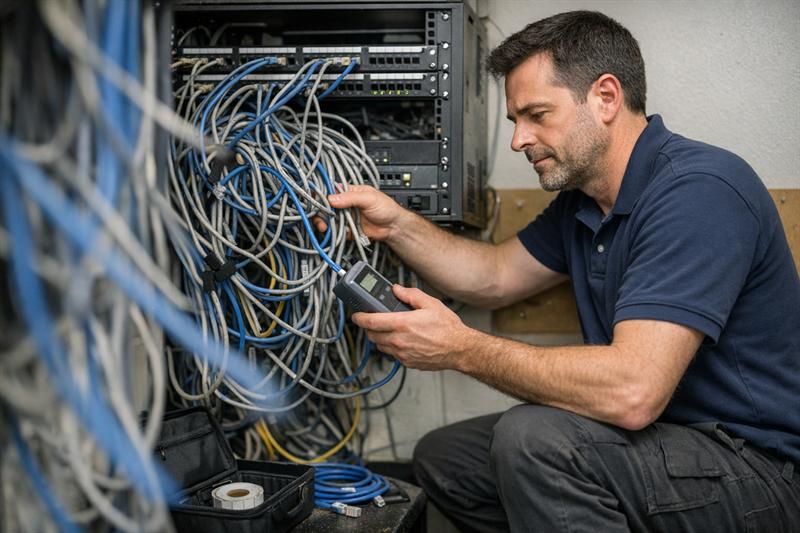
Quick Answer: The most damaging network design mistakes happen when a business designs for today’s connections instead of future workload, physical space, and support needs. A network that works at launch but lacks capacity, documentation, accessible cabling, or a maintenance plan can become slower, harder to troubleshoot, and more expensive to expand over time.
Ascio Wireless, LLC helps businesses look beyond the initial installation and focus on infrastructure decisions that affect reliability, serviceability, and future growth. The goal is not to overbuild. It is to avoid shortcuts that turn routine growth or troubleshooting into a disruptive project.
Key Takeaways
- A business network should account for device growth, changing applications, and physical changes, not only current employee headcount.
- Wireless coverage and wireless capacity are different. A visible signal does not prove the network can support a busy area.
- Structured cabling, network closets, power, documentation, and equipment access affect future maintenance and expansion work.
- Recurring slowdowns, repeated temporary fixes, unlabeled cabling, and crowded network closets are signs the original design may need review.
- The practical next step is to assess requirements and site conditions before adding more equipment or another short-term workaround.
A Network Can Work on Day One and Still Be Poorly Designed
A network does not need to fail completely to have a design problem. Users may connect, email may work, and core applications may appear normal, yet the network can still be difficult to maintain, unable to handle busy periods, or constrained by poor cable routes and equipment placement.
Problems often begin when a design is built only around installation day. It may not account for new devices, changed floor plans, cloud applications, wireless density, troubleshooting access, and the people responsible for supporting the network later. Understanding the difference between network architecture and network design helps businesses separate the overall network strategy from the site-level decisions that make it work.
Not every recurring issue requires a full redesign. But when the same symptoms return after equipment replacements or temporary fixes, the original assumptions deserve a structured review.
1. Designing for Today’s Headcount Instead of Future Demand
Planning a network around current employees alone can create a capacity problem before the business appears larger on paper. Device counts and application demands often rise faster than headcount because staff use multiple devices and businesses add connected systems over time.
Growth Is Often Driven by Devices and Applications, Not Just Employees
A growing network may need to support cloud platforms, video meetings, voice systems, guest Wi-Fi, cameras, access control, printers, mobile devices, sensors, and additional access points. New workflows can also change traffic patterns. A business can keep the same number of employees while placing far more demand on the network.
Capacity issues can emerge after a business adds services in stages. Each addition may seem manageable on its own, but the combined load can expose limits in switching, uplinks, wireless capacity, power budgets, or cabling pathways.
- Expected employee and guest devices
- Cloud, voice, video, and operational applications
- New work areas, conference rooms, or warehouse zones
- Cameras, access-control equipment, and other connected systems
- Planned growth in access points, switches, and wired connections
Long-Term Effects of Underestimating Capacity
Underestimating capacity can contribute to slowdowns during busy periods, delayed expansions, and rushed upgrades. It can also lead to temporary additions that become permanent dependencies without a clear design behind them.
What should a business consider when planning network capacity? Consider the number of users, connected devices, high-demand applications, critical business systems, expected growth areas, and the physical infrastructure needed to support expansion. Requirements vary by site and workload, so capacity planning should reflect actual operations rather than a generic device count.
For additional planning considerations, review how to plan network capacity for future growth without overbuilding.
2. Skipping a Site Assessment or Wireless Survey
Floor plans are useful, but they do not show everything that affects network performance. They may not capture building materials, ceiling access, shelving, equipment, interference sources, room use, cable pathways, or layout changes that influence where network equipment should go.
Why Floor Plans Do Not Tell the Whole Story
A warehouse, office, healthcare facility, retail site, school, and mixed-use commercial building can create different installation conditions. Dense shelving, concrete walls, metal structures, enclosed rooms, production equipment, and high-traffic work areas can all affect planning decisions.
Placing equipment based only on what is easiest to install can leave weak wireless areas, inaccessible cable routes, or equipment locations that become difficult to service once the space is occupied.
Coverage and Capacity Are Not the Same Thing
Wi-Fi coverage means a usable wireless signal reaches an area. Wi-Fi capacity means the network can support the users, devices, and applications active in that area at the same time.
A conference room, training space, warehouse zone, or customer-facing area can show a strong signal and still perform poorly when many devices connect at once. This can indicate that the design addressed signal reach but not the expected workload in that location.
Wireless surveys provide site-specific information for access-point placement, expected coverage, capacity planning, and post-installation validation. For complex spaces or recurring Wi-Fi issues, assessing the actual environment before adding more access points is generally more practical than relying on placement assumptions alone.
3. Treating Structured Cabling as a Commodity Instead of Long-Term Infrastructure
Structured cabling is not just an installation line item. It is the physical foundation for switches, workstations, wireless access points, cameras, voice systems, and other business-connected equipment.
When cabling is selected and installed only for immediate cost or convenience, later work can become more disruptive. The business may then face inaccessible pathways, unclear labeling, limited expansion room, and difficult troubleshooting.
Cabling Choices Affect More Than the Initial Installation Cost
Cabling design should account for distance, bandwidth requirements, Power over Ethernet needs, equipment locations, pathways, future additions, and service access. Fiber optic cabling may be appropriate for certain backbone, distance, bandwidth, or inter-building needs, while copper cabling may support many standard connections within a facility.
The right infrastructure depends on the business requirements and the site. A practical cabling plan asks whether the pathway remains accessible, whether the cable supports the intended equipment, and whether future additions can be completed without opening finished walls or disrupting operations.
For more detail, see structured cabling design best practices for commercial buildings.
The Hidden Cost of Poor Cable Management and Limited Access
Unlabeled cables, undocumented ports, crowded patch panels, and inaccessible routes can turn small support requests into investigation work. Instead of tracing a documented connection, a technician may need to identify unknown cabling, verify ports, and work around previous additions.
Signs your business cabling may be poorly planned include:
- Ports and cables cannot be identified quickly.
- New connections require temporary surface cabling or improvised routes.
- Patch panels are crowded or inconsistently labeled.
- Technicians cannot access pathways without disrupting finished areas.
- Records do not show what is connected to each port.
This issue can worsen as the network grows. Each undocumented change can add uncertainty to the next move, addition, repair, or upgrade.
4. Creating Single Points of Failure Without Recognizing Them
A single point of failure is a dependency that can interrupt a larger service or work area when it fails. Common examples include one switch serving a critical area, one uplink connecting an important segment, one power source supporting key equipment, or one undocumented configuration known by only one person.
Common Single Points of Failure in Business Networks
Common single points of failure in a business network include:
- A single switch supporting a critical group of users or systems
- One uplink serving an important network segment
- One internet handoff supporting operationally important services
- One power source for network equipment
- One crowded telecommunications room with no room for service work
- One person or undocumented file holding critical configuration knowledge
Not every component needs duplicate equipment. The relevant question is what happens to the business if that dependency fails and how quickly operations need to recover.
How to Prioritize Resilience Without Overbuilding
Start with the systems that interrupt work when they go offline. Consider communications, transactions, customer access, facility operations, critical systems, and the number of people affected by one failure.
Redundancy adds cost and maintenance responsibility, so it should be used where the operational impact justifies it. The stronger approach is not duplicating everything. It is identifying critical dependencies before they contribute to an outage.
If the same switch, closet, uplink, or internet connection affects an entire department or essential service, a resilience review may be appropriate.
- One device failure disrupts a large work area.
- There is no documented recovery path for a critical connection.
- Network equipment shares overloaded or unreliable power.
- Staff do not know which services depend on a specific switch or uplink.
These are more than documentation concerns. They can indicate that an isolated hardware failure may become a broader operational interruption.
5. Underestimating Network Closets, Racks, Power, Cooling, and Pathways
Network closets and equipment rooms are part of the network design, not an afterthought. If there is not enough rack space, power, ventilation, access, or pathway capacity, the business may eventually run out of practical options for expansion and support.
Why Physical Constraints Become Network Constraints
Switches, patch panels, power equipment, fiber terminations, and cable management need physical space and safe access. A closet that is crowded, poorly ventilated, difficult to reach, or not secured can slow troubleshooting and make equipment changes more disruptive.
A quick installation decision can create a long-term support problem. Equipment may be added wherever space is available, patching can become harder to trace, and future upgrades may require working around conditions that should have been addressed during planning.
Questions to Ask About Telecommunications Rooms Before Installation
- Is there room for current equipment and reasonable future additions?
- Can technicians safely reach racks, patch panels, power connections, and cable pathways?
- Is there sufficient power for network devices and expected PoE equipment?
- Does the room have suitable ventilation and environmental conditions?
- Are cable pathways available for future additions?
- Will authorized support personnel be able to access and secure the room?
Facility needs differ by site, equipment, and project scope. The key is to treat the telecommunications room as an operating workspace, not a storage area where network hardware happens to fit.
6. Failing to Design for Segmentation, Security, and Device Diversity
Business networks now support far more than employee laptops. Guest devices, voice systems, printers, cameras, access-control systems, operational technology, and IoT equipment can all require different levels of access and management.
Different Devices Often Have Different Network Needs
Separating device categories where appropriate can make the environment easier to manage and reduce the need for broad exceptions later. It also helps teams understand which systems are connected, what they require, and where they belong in the network design.
Segmentation is not a complete security solution by itself. It is one design practice that should align with the organization’s IT policies, operational requirements, and risk priorities.
Why Retrofitting Segmentation Can Be More Disruptive
Retrofitting segmentation after devices are already connected can create more work because systems may have undocumented dependencies. A camera, printer, voice system, or operational device may rely on a connection pattern that was not recorded during installation.
Temporary exceptions can then become part of the permanent environment. The practical approach is to identify device categories and expected access needs before deployment, then plan and test changes carefully when an existing environment needs to be reorganized.
7. Installing Equipment for Convenience Rather Than Performance and Serviceability
Equipment placement should support the expected workload and allow future service. Installing an access point, switch, or patch panel where cabling is easiest to run may reduce installation effort, but it can create poor coverage, limited capacity, or difficult maintenance later.
Equipment Placement Affects Performance and Future Service
Access points should be placed according to planned coverage and capacity requirements. Switches and patch panels should be installed where technicians can safely reach ports, labels, power connections, and replacement equipment.
Without an expansion plan, equipment may be added to crowded closets simply because space is available. The initial placement may solve an immediate problem, but each later change can become harder when the location no longer provides enough service access, power, or cable management space.
Common Warning Signs of Convenience-Driven Placement
- Access points are located only where cable runs were easiest.
- Labels, ports, or power connections are difficult to access.
- Network equipment is mounted in areas without clear service space.
- Cables are routed through locations that cannot be reached for repairs.
- New equipment is being added to an already crowded closet.
If equipment cannot be safely reached, identified, tested, or replaced, the design may create future service delays. The next appropriate step is to assess placement, pathways, and closet capacity before another device is added.
8. Treating Documentation and Testing as Final Paperwork
Documentation and testing should support the network long after installation is complete. When they are treated as closeout paperwork, the business can lose information needed to troubleshoot, expand, and hand off support with confidence.
Documentation That Makes Future Changes Safer
A business should keep the following network documentation:
- Current network diagrams
- As-built documentation
- Cable labels and port maps
- Equipment inventory records
- Cable test results where applicable
- Configuration records and backup practices
- Support contacts, ownership details, and change records
Each item can reduce uncertainty during a move, equipment replacement, office change, support request, or renovation. Without these records, technicians may spend time understanding the environment before they can address the actual issue.
For a more detailed approach, review network documentation best practices for long-term maintainability.
Testing Should Validate Assumptions Throughout the Project
Testing should not begin only when the installation is finished. Cabling results, equipment checks, wireless validation, and operational reviews can help compare the completed environment against the intended design.
Testing makes assumptions visible. If a cable run, wireless area, power requirement, or equipment connection does not match the plan, that issue is generally easier to address before the network becomes part of daily operations.
9. Designing a Project Without an Ongoing Maintenance Plan
A network needs an operational owner after installation. If nobody is responsible for monitoring issues, documenting changes, maintaining records, and planning updates, the network can gradually become harder to support.
A Network Needs an Operational Owner After Installation
Support ownership should be clear before handoff. The business needs to know who responds to network issues, updates diagrams, tracks equipment changes, maintains configuration records, and coordinates future work.
This can become more difficult when multiple vendors, internal teams, or facilities changes affect the same environment without a shared record. Small changes can accumulate until nobody has a complete picture of what connects where.
Maintenance Findings Should Inform Future Network Decisions
Recurring support issues can reveal useful patterns. Repeated wireless complaints in one area, frequent port shortages, overloaded closets, or unclear cabling records may point to conditions that should influence the next upgrade or expansion.
Network maintenance is not separate from design. It provides operational feedback that can show which assumptions held up and which ones need correction before the next project.
Warning Signs Your Current Network May Have a Design Problem
If you are seeing these issues, the network design or its documentation may need a structured review:
- Recurring Wi-Fi complaints in the same rooms or work areas
- Slowdowns during predictable high-use periods
- Frequent temporary fixes, unmanaged devices, or ad hoc cable additions
- Unlabeled cables, unknown ports, incomplete diagrams, or unclear ownership
- Network closets with limited power, space, cooling, or service access
- Difficulty adding access points, cameras, workstations, or new services
- One equipment failure affecting more users or systems than expected
- Repeated troubleshooting without a clear root cause
These signs do not confirm one specific design defect. They do suggest the business may be operating with constraints that can continue to consume time and create disruption until the underlying conditions are identified.
A Practical Review Checklist Before Approving a Network Design
Before approving a new installation, upgrade, relocation, or remediation project, use this checklist to confirm that the design addresses conditions that can create long-term problems.
- Does the design account for expected users, devices, applications, and business systems?
- Has the site been assessed for wireless conditions, cable pathways, equipment locations, and closet constraints?
- Are Wi-Fi coverage and capacity needs defined for important work areas?
- Are critical dependencies and single points of failure identified?
- Is rack space, power, cooling, cable management, and pathway capacity sufficient?
- Does the design account for employee, guest, voice, camera, and operational devices?
- Does the scope include labeling, testing, diagrams, port maps, and as-built documentation?
- Is there a defined support and maintenance plan after installation?
This checklist helps internal IT teams, facilities stakeholders, network providers, and cabling installers discuss the right questions before work begins. It does not replace a site-specific design review, particularly when a facility has complex wireless, cabling, power, or operational requirements.
How Network Assessments and Professional Planning Can Help Reduce Rework
A practical way to reduce rework is to identify requirements and site conditions before selecting equipment or adding another workaround. A network assessment can help uncover undocumented infrastructure, limited pathways, equipment constraints, wireless concerns, and support gaps that are not obvious from a simple equipment list.
Wireless surveys can inform access-point placement, coverage expectations, capacity needs, and validation planning. Structured cabling and fiber planning can help align the physical layer with equipment locations, bandwidth needs, pathways, and future expansion.
Ascio Wireless, LLC provides wireless surveys, networking, structured cabling, fiber optic cabling, technical support, on-site network support, and network maintenance for businesses planning or improving their infrastructure. For multi-site organizations, consistent planning and documentation can be especially valuable because an inconsistency at one location can be repeated across several sites.
Conclusion: Design for the Network You Will Need to Support Later
The real problem is not simply a slow connection or a failed device. It is a network built around short-term convenience that becomes harder to expand, troubleshoot, document, and maintain as the business changes.
When these issues are left unaddressed, temporary fixes can become permanent, closets can become crowded, wireless complaints can repeat, and support time can rise because the infrastructure cannot be traced quickly. Over time, correcting those conditions may become more disruptive.
Ascio Wireless, LLC can help businesses planning an installation, office expansion, wireless upgrade, cabling project, or network remediation effort. A focused review of site conditions, capacity requirements, cabling, equipment placement, documentation, and maintenance needs can clarify the next steps before another short-term fix adds complexity.
Frequently Asked Questions
What are the most common network design mistakes businesses make?
The most common mistakes include designing only for current demand, skipping a site assessment, treating cabling as a one-time expense, overlooking single points of failure, underplanning closets and power, and leaving documentation until the project is complete. A network can appear functional while still lacking capacity, accessible pathways, clear port labeling, and defined support ownership. The underlying issue is often short-term planning that makes future changes harder than they need to be.
How can poor network design affect business operations?
Poor network design can contribute to recurring Wi-Fi complaints, slowdowns during busy periods, difficult equipment additions, longer troubleshooting, and repeated temporary fixes. For example, a meeting room can show a strong wireless signal while performing poorly when many users join video calls because the design addressed coverage but not capacity. The operational impact often becomes clear when daily usage exceeds the assumptions made during installation.
Do businesses need a wireless survey before installing Wi-Fi?
A wireless survey is particularly useful for new locations, larger facilities, high-density spaces, changing layouts, warehouses, and areas with recurring Wi-Fi concerns. Floor plans may not show wall materials, shelving, interference, ceiling access, or active device density, all of which can affect access-point placement. The survey provides site-specific information that supports a more informed design decision.
What should be included in a business network design?
A business network design should include expected users and devices, application requirements, wired and wireless capacity, equipment placement, cabling pathways, room conditions, power, resilience needs, device separation, documentation, testing, and maintenance ownership. It should also show how future technicians will identify ports, trace cables, access equipment, and make changes. A complete design treats handoff as the start of operations, not the end of the project.
Why is structured cabling important for long-term network performance?
Structured cabling supports the physical connections used by workstations, access points, cameras, voice systems, and other networked equipment. When cabling is accessible, labeled, documented, and tested, future troubleshooting and expansion are generally more manageable than in an environment with unknown ports and inaccessible routes. The important distinction is that cabling should support the next several changes to the network, not only the first installation.
When should a business reassess its network design?
A business should reassess its network design when recurring issues appear in the same areas, performance falls during busy periods, new equipment is difficult to add, network closets are crowded, or documentation no longer reflects the environment. Office moves, renovations, new cloud workloads, cameras, access-control systems, and repeated temporary fixes are also common triggers. These changes can mean the business has outgrown the assumptions behind the original design.