 Follow us on Facebook
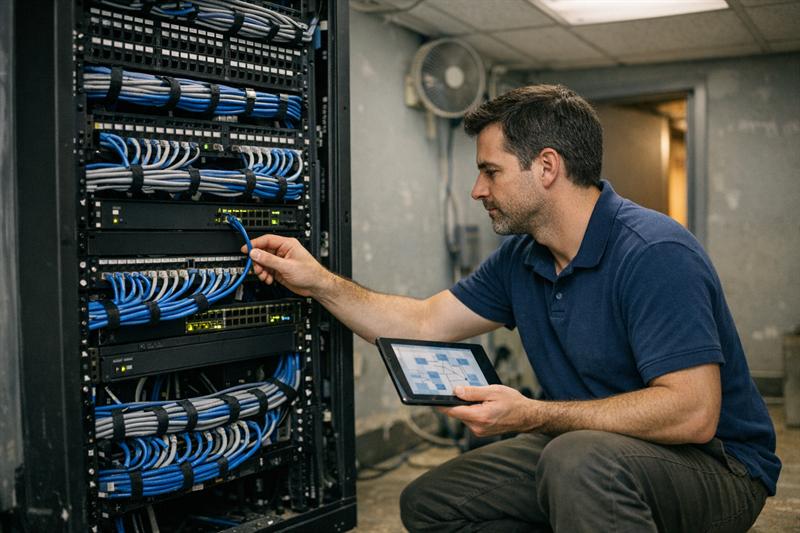
Quick Answer: A business network becomes harder to manage when maintenance is limited to fixing the latest outage instead of reviewing devices, Wi-Fi, cabling, documentation, capacity, and recovery procedures on a set schedule. A network maintenance checklist gives teams a repeatable way to identify developing issues, record changes, and plan infrastructure work before recurring problems disrupt operations.
In many business environments, the network works well enough until an office change, higher device count, aging switch, or undocumented cable move exposes a weakness that has been building over time. The practical response is usually more than another isolated repair. It is a maintenance routine that accounts for the full infrastructure supporting connectivity.
What Does Network Maintenance Include for a Business?
Network maintenance is the ongoing work of reviewing, monitoring, documenting, securing, and improving the infrastructure that keeps a business connected. It includes more than software updates and alerts because network performance depends on several layers working together.
- Wired network equipment, including switches, routers, firewalls, and related connections
- Wireless access points, coverage areas, client load, and recurring Wi-Fi complaints
- Structured cabling, patch panels, rack organization, labeling, and fiber connections
- Network configurations, backups, and documented changes
- Device inventories, diagrams, access records, and support contacts
- Capacity trends, single points of failure, and recovery planning
Reactive troubleshooting restores service after a problem occurs. Preventive maintenance looks for conditions that can lead to repeat problems. Long-term infrastructure planning uses those findings to help determine when the business may need a network assessment, additional capacity, cabling work, wireless validation, equipment replacement, or redundancy.
Maintenance frequency should reflect how heavily the business depends on connectivity, how complex the environment is, and what an interruption affects. A small office with a simple network has different needs from a warehouse, multi-location business, or facility with high device density, but each benefits from a documented routine.
Start With a Network Baseline Before Building a Maintenance Routine
A checklist works best when the business knows what it is maintaining. If nobody can confirm which switch serves a department, where an access point is located, what a patch-panel label means, or which provider circuit supports a critical system, troubleshooting can take longer and changes become riskier.
Before assigning recurring maintenance tasks, establish a baseline that reflects the network as it exists today. This is often where problems begin: the original installation may have been documented, but later changes made during moves, expansions, repairs, or vendor visits were never added to the records.
- Current network diagram and equipment locations
- Inventory of routers, switches, firewalls, access points, and critical connected devices
- Internet provider, circuit, and support information
- Critical applications and infrastructure dependencies
- Access point locations and known coverage concerns
- Cabling, patch-panel, port, and fiber records
- Configuration backup process and recovery contacts
- Known incidents, repeat complaints, and temporary workarounds
- Current escalation procedures and responsible contacts
Accurate network documentation can reduce guesswork during outages, upgrades, office changes, and vendor coordination. It also helps keep critical network knowledge from residing with only one employee or contractor.
If the network has repeat issues, missing records, unclear capacity, or years of untracked changes, a network assessment can help establish a baseline and prioritize maintenance instead of repairing symptoms one at a time.
Business Network Maintenance Checklist
This business network maintenance checklist is organized by frequency. The right cadence depends on network size, operational needs, and internal support capacity, but the work should be scheduled, assigned, and recorded. Firmware updates, configuration changes, and failover tests should follow a documented change process and be planned around business operations.
Continuous and Weekly Network Checks
- Review meaningful monitoring alerts and recurring incidents.
- Confirm that core network equipment and critical internet connections are operating as expected.
- Review connectivity complaints by user group, location, and affected application.
- Confirm configuration backups and monitoring records are completing successfully.
- Record unresolved issues, temporary workarounds, and changes made during support activity.
- Identify repeated symptoms instead of treating every ticket as unrelated.
Not every alert carries the same level of risk, but repeat alerts deserve attention. An intermittent problem may be reset or worked around several times before anyone reviews the larger trend. That can lead to longer troubleshooting, more user frustration, and a harder-to-isolate failure later.
Monthly Network Maintenance Tasks
- Review device health, logs, storage, interface errors, and utilization trends.
- Review available firmware and software updates for routers, switches, firewalls, access points, and management platforms.
- Confirm configuration backups are current and recoverable.
- Review administrator access, approved user access, and guest network controls.
- Inspect racks, power indicators, UPS status, cooling, ventilation, and obvious cable-management concerns.
- Check for unlabeled, disconnected, damaged, or unfamiliar connections.
- Review Wi-Fi complaints by location, timing, device type, and use pattern.
Updates should be evaluated, scheduled, and documented rather than applied without considering compatibility, timing, validation, or rollback needs. This is especially important when a device supports critical systems, voice services, wireless connectivity, or a primary internet connection.
Quarterly Network Maintenance Tasks
- Compare current performance and incidents against the established baseline.
- Review bandwidth use, switch-port utilization, access point capacity, and network bottlenecks.
- Validate diagrams, IP address records, device inventories, port labels, and change logs.
- Review hardware age, warranty status, support status, and lifecycle concerns.
- Test selected backup, recovery, escalation, and failover procedures.
- Inspect critical patching, cabling, racks, and equipment-room conditions.
- Review whether staffing, layout, applications, or device growth changed network requirements.
Quarterly reviews can turn isolated support tickets into useful infrastructure evidence. If one conference room, warehouse zone, branch location, or group of users keeps reporting the same issue, the next step may be a focused review of capacity, coverage, physical connectivity, or design rather than another quick reset.
Annual Network Planning and Infrastructure Review
- Review equipment age, warranty coverage, support status, and anticipated replacement needs.
- Reassess requirements after staffing changes, new applications, new devices, renovations, or additional locations.
- Review whether current cabling can support expansion or higher-bandwidth needs.
- Identify single points of failure and set resilience priorities.
- Update maintenance ownership, vendor contacts, service history, and escalation procedures.
- Create a prioritized list for remediation, refresh, cabling, wireless, and expansion work.
There is no universal equipment-refresh schedule that fits every business. The practical decision depends on support status, performance history, business growth, cabling capacity, wireless density, and the consequences of a failure. Ignoring those factors can result in urgent replacements being made under pressure instead of planned work being completed on a controlled timeline.
Event-Driven Maintenance: When to Review the Network Early
Do not wait for the next scheduled review after a material change. Review the network early when the business experiences one of these triggers:
- A new office, branch, floor, workspace, or tenant area
- Renovations, partitions, shelving, equipment, or layout changes
- Rapid hiring, new devices, or higher wireless density
- New cloud applications, voice systems, or internet circuits
- Repeat Wi-Fi complaints or repeated device failures
- A security concern, access-control issue, or major configuration change
- A merger, acquisition, or multi-site integration project
These events can change capacity, coverage, cabling needs, dependencies, and recovery priorities. If performance problems begin after one of these changes, review the network against the new operating conditions.
Maintain the Physical Network Infrastructure, Not Only Devices
Switches, routers, and access points depend on the physical infrastructure behind them. A well-managed firewall does not resolve an unlabeled patch panel, stressed cable, poorly organized rack, damaged connection, or unsupported cabling path.
- Keep structured cabling records current.
- Verify patch-panel and port labeling.
- Review cable management, rack organization, and unused patching.
- Inspect fiber connections and critical pathways.
- Look for damaged, stressed, disconnected, or poorly supported cables.
- Review equipment-room access, power, cooling, and environmental conditions.
In long-used business environments, network equipment may be replaced over time while the physical layer is left undocumented. That can lead to slower fault isolation, riskier moves and changes, and unnecessary disruption when a port or cable problem cannot be traced quickly.
If intermittent issues are concentrated around certain areas, ports, or equipment rooms, hands-on investigation and testing may be appropriate. Structured cabling, data cabling, fiber optic cabling, and on-site network support can be relevant when the physical layer is contributing to repeated performance problems.
Keep Business Wi-Fi Reliable as the Environment Changes
Review Access Point Health and Usage Patterns
Review access point status, client load, utilization patterns, and repeat complaints. One isolated disconnect does not always indicate a larger issue, but recurring slowdowns or dropped connections in the same area can point to a condition that needs to be measured and addressed.
- Identify areas with recurring slow performance.
- Track locations where devices disconnect or roam poorly.
- Review whether access points are carrying unusually high client loads.
- Compare complaints against time of day, application use, and user density.
Device counts, application demands, physical layout, and building materials can all affect wireless performance. The right response starts with the actual usage pattern, not a generic assumption about access point settings.
Watch for Coverage, Interference, and Density Changes
Wi-Fi conditions can change when the environment changes. New shelving, partitions, equipment, neighboring tenants, meeting-room usage, or a higher device count can create performance issues in areas that previously seemed stable.
- Weak signal in areas that were previously usable
- Slow performance during busy periods
- Devices disconnecting while users move through the space
- New dead zones after renovations
- High device density in meeting rooms, production areas, or shared workspaces
If these signs are recurring, the network may need more than another reboot.
- Users report the same Wi-Fi problem in the same location.
- Performance drops during predictable high-use periods.
- Coverage changed after a renovation, expansion, or equipment move.
- Support teams keep applying temporary fixes without documenting a cause.
These patterns can indicate that the wireless environment, infrastructure capacity, or access-point design needs to be evaluated. Addressing them early can reduce recurring tickets and help the network keep pace with device demand.
When a Wireless Survey Is Appropriate
A wireless survey is appropriate when coverage complaints continue, device density changes, a facility expands, construction alters the space, interference is suspected, or access point changes are being planned. Site-specific measurements provide a clearer basis for decisions than assumptions about what should work in a given area.
Ascio Wireless, LLC provides wireless surveys to evaluate site conditions and support informed remediation or design decisions. This can be particularly useful when Wi-Fi issues persist after basic troubleshooting or appear only in specific locations.
Keep Documentation and Change Control Part of Maintenance
Documentation is not simply administrative overhead. It is a maintenance tool that helps the next technician, internal IT contact, or service provider understand what changed and how the network is intended to operate.
After every material change, update:
- Network diagrams and device inventory
- Port assignments and patching records
- IP address records and configuration changes
- Access point locations and wireless changes
- Provider circuit details and support contacts
- Maintenance history, validation results, and follow-up work
Every change record should state what changed, why it changed, who made the change, and how it was validated. Without that record, troubleshooting can slow down, upgrades can become less predictable, and businesses may become dependent on individual memory instead of a maintainable system.
Build Resilience Into the Maintenance Plan
Identify Single Points of Failure
A single point of failure is any one device, connection, power source, configuration, or person whose failure stops a critical network function. The business impact should determine which dependencies deserve the highest priority.
- One internet connection serving essential operations
- One critical switch with no replacement or recovery plan
- One power source supporting key equipment
- One unsupported firewall
- One undocumented configuration
- One person holding the only access or operational knowledge
Single points of failure are not always visible during normal operations. They can become apparent when a device, circuit, power source, or key contact is suddenly unavailable, which is why they belong in the maintenance review.
Review Redundancy and Recovery Priorities
Redundancy can include internet connectivity, critical hardware, power protection, configuration backups, and documented recovery procedures. The right network redundancy approach depends on what the business cannot afford to lose and how long operations can function without it.
- Which failure would affect customers, employees, production, or communications first?
- Which devices or connections support the most critical systems?
- Is there a documented recovery process for those dependencies?
- Does the current plan match the impact of an outage?
Buying redundant equipment without understanding dependencies can add cost without creating a clear recovery plan. Identify the business-critical failure paths first, then prioritize the protection and recovery measures that address them.
Test Recovery Procedures Instead of Assuming They Will Work
Configuration backups, escalation paths, support contacts, and selected failover procedures need validation. A backup that cannot be located, a contact list that is outdated, or a recovery process that was never tested can create delay when the business needs a clear response.
- Confirm backups are current and accessible.
- Validate escalation contacts and vendor information.
- Review selected recovery and failover procedures.
- Document results, gaps, and follow-up actions.
Testing may reveal dependencies that are not visible in normal operations. When gaps are found, assign the remediation work and update the maintenance plan rather than leaving the issue as a note for later.
What Can Internal Teams Handle, and When Is Outside Support Useful?
Internal teams can often coordinate routine reviews, maintain records, review alerts, manage approved access, schedule maintenance windows, and escalate known issues. That approach works best when documentation is current and responsibilities are clear.
Outside or on-site support is often useful when the work requires physical access, specialized validation, or a broader infrastructure review.
- Network assessments and baseline development
- Wireless surveys and coverage validation
- Structured cabling review, remediation, or expansion
- Fiber work and equipment installation
- Physical troubleshooting in racks, closets, and work areas
- On-site network support and IT smart hands work
- Ongoing network maintenance coverage
Ascio Wireless, LLC approaches maintenance as a long-term infrastructure responsibility. The focus is on helping businesses understand the condition of their wired and wireless environment, address work that requires on-site attention, and reduce reliance on quick fixes that leave the underlying issue unresolved.
Turn the Checklist Into a Network Maintenance Plan
- Establish the current network baseline.
- Assign an owner for each maintenance task.
- Set weekly, monthly, quarterly, and annual review dates.
- Define which records must be updated after every change.
- Set escalation thresholds for recurring incidents and performance changes.
- Track cabling, wireless, equipment refresh, remediation, and redundancy priorities.
- Revisit the plan after material business or infrastructure changes.
The most practical maintenance plan is one that people can follow consistently. If a task has no owner, no schedule, no record of completion, and no process for acting on what it finds, it is more likely to become another reactive support issue.
Key Takeaways
- A business network maintenance checklist should cover devices, documentation, physical infrastructure, wireless performance, capacity, access, and recovery planning.
- Weekly monitoring, monthly checks, quarterly validation, annual planning, and event-driven reviews create a more complete routine.
- Recurring problems can indicate the need for a baseline assessment rather than another isolated repair.
- Unlabeled cabling, incomplete records, and untested recovery processes can make routine issues harder to resolve.
- Maintenance findings should guide planned upgrades, wireless validation, cabling work, and redundancy decisions.
Conclusion: Make Network Maintenance a Long-Term Reliability Practice
The real problem is not simply that a business network experiences occasional issues. Undocumented changes, aging equipment, physical-layer gaps, capacity strain, and unresolved Wi-Fi patterns can accumulate until a routine problem becomes a larger interruption. When those conditions are not addressed, troubleshooting can take longer, repeat incidents can increase, and infrastructure decisions may be forced into emergency timelines.
Ascio Wireless, LLC can help businesses establish a maintenance baseline, address on-site network needs, validate wireless conditions, review cabling, or develop a longer-term infrastructure plan. A network assessment can be a useful starting point when repeat problems, incomplete documentation, uncertain capacity, or aging infrastructure are making the environment harder to manage.
Frequently Asked Questions
What should be included in a business network maintenance checklist?
A business network maintenance checklist should include monitoring, device health, software and firmware review, configuration backups, access review, documentation, wired infrastructure, wireless performance, capacity, resilience, and incident tracking. It should cover switches, routers, firewalls, access points, structured cabling, patch panels, device inventories, diagrams, and recovery procedures. Start by documenting the environment so every recurring task has an owner and schedule.
How often should a business perform network maintenance?
Business network maintenance should include continuous monitoring and weekly review, monthly device and access checks, quarterly validation, annual planning, and additional reviews after significant changes. Alerts and recurring incidents need regular attention, while lifecycle, capacity, cabling, and redundancy decisions benefit from structured periodic review. Build a calendar around the network’s complexity and the operational impact of connectivity loss.
What is preventive network maintenance?
Preventive network maintenance is planned work that identifies and addresses developing network conditions before they create more disruptive business problems. It includes reviewing alerts, validating backups, checking device health, updating documentation, tracking capacity, reviewing Wi-Fi complaints, and inspecting physical infrastructure. If maintenance currently begins only after users report an outage, establish a baseline and assign recurring checks.
Why is network documentation important for maintenance?
Network documentation helps teams understand equipment, connections, configurations, dependencies, and prior changes when maintaining or troubleshooting the environment. Current diagrams, inventories, port assignments, access point locations, circuit details, and support contacts can reduce delay during outages, upgrades, moves, and vendor coordination. Update records after material changes so maintenance does not depend on one person’s memory.
When should a business get a network assessment?
A business should consider a network assessment when recurring issues, incomplete records, uncertain capacity, aging equipment, office changes, growth, or unclear Wi-Fi coverage make the current environment difficult to manage. An assessment can help establish a baseline by reviewing infrastructure, documentation, incident patterns, dependencies, and priorities. Use one when another isolated repair is unlikely to explain the larger pattern.
When does a business need a wireless survey?
A business may need a wireless survey when it has recurring coverage complaints, suspected interference, increased device density, layout changes, planned access point changes, or a new or expanded location. Wi-Fi performance is shaped by the physical space, materials, equipment, and usage patterns, so site-specific measurements can provide clearer direction than assumptions. If the same areas keep generating complaints, consider a survey before making further changes.