 Follow us on Facebook

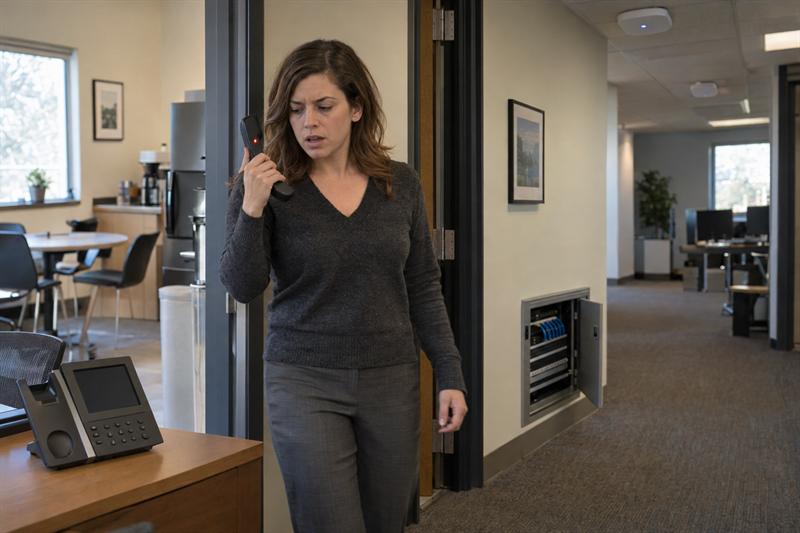
A network that works well for laptops and phones is not automatically ready for voice. That is where issues often begin. Calls can expose roaming gaps, congestion, poor access point placement, and back-end network limitations faster than everyday data traffic.
At Ascio Wireless, LLC, this is a familiar pattern in business environments preparing for a handset rollout or trying to diagnose unreliable voice performance after deployment. The network may seem acceptable during routine use, but voice tends to make weak points easier to spot.
Why VoIP over WiFi can fail even when WiFi seems to work fine
VoIP over WiFi depends on consistency, not just connectivity. A user can browse the web, check email, or stay connected to business apps and still deal with clipped audio, dropped calls, or choppy conversations once live voice traffic starts moving through the network.
This often gets worse when people are walking between rooms, crossing warehouse aisles, or moving through doorways and hallways. Those transitions force devices to roam, and that is where a network built only for broad coverage may start to break down.
Coverage is not the same as voice readiness
Signal bars do not verify voice readiness. Speed tests do not verify it either. A network can look healthy on both and still struggle during live calls because voice depends on stable handoffs and predictable packet delivery.
A common mistake is treating usable WiFi as application-ready WiFi. They are not the same thing. Voice is less forgiving, so weaknesses that stay hidden during routine data use often show up quickly during calls.
- Usable WiFi: devices connect, browse, and sync without obvious problems
- Voice-ready WiFi: calls stay stable while users move, traffic remains consistent under load, and handoffs do not interrupt audio
Voice traffic behaves differently from laptops, scanners, and casual mobile use
Voice traffic has little room for delay. If a roaming event stalls, airtime is contested, or packet delivery becomes inconsistent, users usually notice it right away. That can sound like clipped speech, brief silence, or a dropped call.
Businesses often run into this when voice devices are added to environments that already support other mobile hardware. As covered in warehouse WiFi troubleshooting for scanners, voice, and mobile devices, different applications stress the network in different ways, and voice is one of the fastest to expose design problems.
Design also matters more than many teams expect. A network that was never planned around movement, overlap, and device density may struggle once voice is added. That is why enterprise WiFi design focuses on how wireless performance behaves across the full environment, not just whether the signal reaches every corner.
What “voice-ready WiFi” means in a business environment
Voice-ready WiFi generally means the network supports live calls the way people actually work. In most business settings, that comes down to three things: users stay connected while moving, traffic stays stable enough for clear audio, and the network has enough capacity to handle voice alongside other activity.
Reliable call continuity while users move
Calls need to hold up during movement. If a user walks from one room to another, turns down a corridor, or moves through a warehouse path, the call should remain stable as the device transitions between access points.
This is where poor overlap often shows up first. If access points are placed for broad signal presence instead of smooth movement, handoffs can become unreliable. That issue comes up regularly in spaces where layout and placement were not designed around mobility, which is why access point placement best practices matter so much for voice.
Stable latency, jitter, and packet delivery
Latency is delay. Jitter is variation in that delay. Packet loss is missing voice data. When those conditions become unstable, audio quality often breaks down.
The effect is usually easy to recognize even without technical language. When the network delivers voice traffic inconsistently, words may cut out, speech may arrive unevenly, or conversations may become hard to follow. That is what poor voice quality looks like in practice.
Enough capacity for concurrent voice devices and peak usage
Voice readiness also depends on how the network behaves when the building is busy. A network that sounds fine during quiet periods can degrade when more devices compete for airtime and bandwidth at the same time.
This often shows up in open workspaces, meeting areas, operational floors, and other environments with many active wireless clients. In many cases, voice issues tie back to capacity assumptions rather than obvious outages. If the network was sized for average activity instead of real business load, call quality is often one of the first areas where trouble appears.
The most common issues that affect voice over WiFi
Many voice-over-WiFi problems follow recognizable patterns. Identifying those patterns before devices are rolled out at scale helps reduce avoidable troubleshooting later.
Inadequate access point overlap for roaming
Calls do not always fail because a device briefly sees weaker signal. They may fail because the roaming transition is not strong enough to support uninterrupted voice. That can lead to audible drops as a user moves between coverage areas.
If users report trouble while moving rather than while stationary, poor overlap is often high on the list of likely causes. This is where many “we have coverage everywhere” assumptions start to break down.
Poor access point placement
Placement problems are one of the more common reasons voice underperforms on otherwise functional WiFi. Access points placed for convenience, ceiling access, or basic reach do not always support clean roaming paths.
This can be more noticeable in older buildings, long hallways, rack-heavy warehouses, and spaces with materials that affect signal behavior. The issue is not just signal strength. It is how signal behaves along the paths people actually use during work.
Congestion and interference
Voice tends to struggle when the wireless environment gets crowded or noisy. High client density, competing traffic, and interference all reduce predictability, and voice is one of the applications that tends to reflect that instability first.
This often results in inconsistent call quality that is hard to reproduce during quiet periods. If problems appear mainly during busier parts of the day, congestion is often a stronger suspect than simple coverage loss.
Misconfigured QoS or voice prioritization
Voice traffic generally needs to be treated as time-sensitive traffic. If the network is not configured to prioritize it correctly, voice may end up competing with less sensitive applications on the same wireless and wired paths.
This does not always cause a total failure. More often, it creates intermittent degradation that frustrates users because the system seems normal until usage rises. That is why configuration needs to be validated rather than assumed.
Wired infrastructure bottlenecks behind the wireless network
Not every wireless voice issue starts in the air. Switching, uplinks, PoE availability, cabling quality, and general network health can all affect whether the access layer consistently supports voice traffic.
This is something Ascio Wireless, LLC often finds during assessments. The symptom shows up on a handset, so the wireless network gets blamed first, but the actual bottleneck may be upstream. When that gets missed, teams may replace devices or adjust settings while the real issue stays in place.
If these signs sound familiar, the network usually needs more than quick troubleshooting.
- Calls drop in the same hallway, doorway, aisle, or transition zone
- Audio issues get worse during busy periods but seem fine during quiet times
- Device swaps and basic settings changes have not solved the problem
- Voice complaints started after expansion, layout changes, or added wireless load
When those patterns repeat, a deeper review of roaming, placement, and supporting infrastructure is often needed.
How to verify WiFi voice readiness before deployment
One practical way to verify voice readiness is to test the network against real working conditions before handsets are deployed broadly. That means reviewing how people move, surveying the environment, validating calls in motion, and checking the wired infrastructure that supports the wireless layer.
Step 1: Review the environment and how people will actually use voice
Start with user behavior, not hardware. Identify where people move, where they stop, where they cross between coverage zones, and how many voice devices will be active during normal operations.
This matters because the network needs to support actual paths, not theoretical coverage. If users spend most of their time moving between offices, service areas, or warehouse aisles, that movement becomes one of the most important test cases.
Step 2: Perform a wireless survey focused on application behavior
A general coverage review is not enough for voice. The survey needs to look at overlap, roaming paths, likely interference zones, and the physical conditions that shape wireless behavior inside the building.
This is often where businesses get the clearest picture of whether the environment is truly ready or simply broadly connected. For teams preparing for rollout, what to expect from a business wireless site survey is a useful reference for understanding how that process is typically scoped and delivered.
Step 3: Test roaming, call continuity, and device behavior
Voice readiness has to be validated during active calls. That means walk testing through the areas users actually travel, with close attention to call continuity at transitions, intersections, edge zones, and known weak spots.
A common pattern is that failures repeat in the same places. If the same aisle, hallway turn, doorway, or stair transition keeps creating problems, that often points to overlap, placement, or environmental interference that needs to be corrected before deployment expands.
Step 4: Validate network configuration and wired dependencies
Once the wireless side has been reviewed, the supporting network needs the same scrutiny. QoS, switching paths, uplinks, cabling condition, and overall capacity all affect voice results.
If that validation is skipped, rollout decisions may be based on partial information. That can lead to user complaints, reactive troubleshooting, and avoidable rework after devices are already in service.
What to test before rolling out handsets or voice devices
Testing should be simple, repeatable, and tied to how voice will actually be used. The goal is to confirm that the network performs in realistic conditions, not just to get a passing result in ideal ones.
Stationary call quality tests
Start by checking call quality in fixed locations where users are expected to work. That creates a baseline and helps separate general audio problems from movement-related problems.
Do not limit this to convenient desks or conference rooms. If users rely on voice in back offices, service counters, floor edges, or staging areas, those locations need to be part of the test.
Walking path tests across transition zones
Then test live calls while moving across the routes users take every day. Hallways, doorways, corners, room transitions, and aisle intersections often reveal roaming issues first.
This is where many deployments start to show weakness. The network may look fine when tested while standing still, but movement quickly exposes weak handoffs.
Peak-time and multi-device validation
Voice should also be tested when the network is under normal business load. Quiet-time testing misses the conditions that often create complaints later.
Ascio Wireless, LLC regularly finds environments that appear stable off-hours but degrade once other devices, applications, and users are active. That is why testing under realistic load is generally more useful than isolated pass-fail checks. It also ties closely to broader planning questions discussed in WiFi capacity planning for business.
Repeat checks in known weak areas
If the environment already has suspect zones, test them repeatedly. Edge rooms, metal-heavy areas, remote corridors, rack aisles, and structural transitions are where recurring voice failures often concentrate.
If results break down in the same locations every time, the signal is usually clear: the issue is likely tied to the environment or design, not random user complaints. That often means adjustment, redesign, or deeper remediation is needed before wider rollout.
When a standard WiFi upgrade is not enough
Replacing access points does not automatically solve voice issues. If the underlying problem is placement, roaming design, network capacity, or upstream infrastructure, newer hardware may simply shift the symptoms instead of fixing them.
This is one of the most important decision points for businesses trying to avoid repeated troubleshooting. If the issue is structural, the answer is often redesign or broader network work, not just another round of device changes.
Signs a redesign may be needed
- Calls fail in the same movement zones again and again
- Voice problems continue even though everyday WiFi seems acceptable
- Settings changes and device swaps have not changed the pattern
Those signs often mean the problem sits in the environment, the design, or the supporting infrastructure. If that is ignored, rollout may continue on a weak foundation and user confidence in the system can drop quickly.
Why cabling, switching, and maintenance still matter
Wireless voice depends on the network behind the access points. Cabling paths, switch performance, uplink capacity, PoE support, and ongoing maintenance all affect whether voice remains stable over time.
This is especially important in older commercial spaces and environments that have grown in phases. A network that was pieced together over time often works until real-time applications demand more consistency. At that point, hidden infrastructure limits become much harder to ignore.
Key takeaways before deploying VoIP over WiFi
- Good WiFi coverage does not mean the network is ready for voice.
- Voice problems often show up first during movement, roaming, and busy usage periods.
- Repeated issues in the same locations often point to overlap, placement, or environmental design problems.
- Wireless voice performance depends on both the RF environment and the wired network behind it.
- Pre-deployment testing is generally more reliable than post-deployment troubleshooting.
Conclusion: Verify voice readiness before rollout, not after complaints begin
The real question is not whether devices can connect to WiFi. It is whether the network can carry live voice traffic clearly and consistently while people move through the space and the rest of the business stays active.
If that is not addressed properly, the result is often a familiar cycle: dropped calls, repeated complaints, misdiagnosed root causes, and costly rework after devices are already deployed. The longer that cycle continues, the harder it becomes to separate handset issues from wireless design problems and upstream infrastructure limits.
Ascio Wireless, LLC is a practical next step for businesses that need to verify voice readiness before rollout or diagnose why wireless voice is already underperforming. That fits the patterns discussed throughout this article: roaming failures tend to repeat in specific zones, capacity issues show up under real load, and many voice problems trace back to infrastructure decisions that were never checked for this application.
If your business is seeing those patterns, the next move is to assess the environment, validate the network under real conditions, and address the parts of the infrastructure driving the issue before rollout expands.
Company approach
Ascio Wireless, LLC approaches wireless voice issues as infrastructure problems first, not just device complaints. That means looking at roaming paths, access point placement, capacity, switching, and cabling together instead of trying isolated fixes one at a time.
This matters because voice failures usually develop in layers. A weak transition zone, a crowded RF area, or an overlooked uplink issue does not stay isolated once more users and devices are added. Long-term performance depends on verifying the network against actual use, then correcting the parts of the design that are causing repeat failures.
FAQ
Can a business have strong WiFi coverage and still have poor VoIP call quality?
Yes. Coverage only shows that devices can connect in an area. It does not show whether calls will remain stable while users move or whether the network stays consistent enough for real-time voice traffic.
A common example is a building where laptops and phones work fine at a desk, but calls break up when users walk between rooms or across a warehouse path. The distinction matters because voice quality depends on handoffs and consistency, not just broad signal availability.
What should be tested before deploying VoIP phones or wireless handsets?
Test call quality while stationary, then test live calls while moving through the actual work environment. After that, validate performance during realistic business load and repeat tests in areas that already look weak.
The useful distinction is that convenient test points are not enough. A desk check might pass while the route from one work area to another fails every time. That often means the network looks fine in snapshots but is not ready for real use.
How does roaming affect voice over WiFi?
Roaming determines whether a call stays intact when a device moves from one access point to another. If that handoff is not smooth, audio can cut out or the call can drop.
This matters more for voice than for standard data use because voice has very little tolerance for visible delay. A laptop session might recover from a brief interruption without much notice, but a conversation does not. That is why transition zones are one of the most important parts of voice validation.
Is a speed test enough to determine whether WiFi is ready for voice devices?
No. A speed test can confirm basic connectivity, but it does not measure roaming behavior, call continuity, or how stable the network remains under movement and load.
What often gets misunderstood is that voice problems are usually caused by inconsistency, not low headline speed. A network can return acceptable speed results and still produce unreliable calls because the issue sits in overlap, interference, or contention during active use.
When does a wireless voice problem require a site survey or redesign?
It often requires a site survey or redesign when the same voice issues repeat in the same places, especially during movement. That pattern points to an environment or design issue rather than a random device complaint.
For example, if calls keep failing near specific doorways, hall intersections, aisle turns, or remote rooms, the network likely has a roaming or placement problem that basic troubleshooting will not fix. The repeated location is the clue that changes the decision.
Do cabling and switching affect VoIP over WiFi performance?
Yes. Wireless voice depends on the wired network behind the access points. If switching, uplinks, PoE delivery, or cabling quality are weak, voice quality can suffer even when the wireless layer looks acceptable.
This is important because many teams focus only on access points once voice complaints begin. In practice, the voice issue might be starting farther upstream. That changes what needs to be tested and helps explain why replacing handsets or adjusting wireless settings sometimes does not solve the problem.